Shopify Scripts Are Gone: How to Replace Them With Functions
Shopify Scripts stopped running on 30 June 2026. What replaced them, who can build it, how to check your store, and what to test before the next sale.
- Written by
 Fahad, CEO & Head of Development
- Published
- Reading time
- 4 min
- Audit Standard
- Real CrUX Data
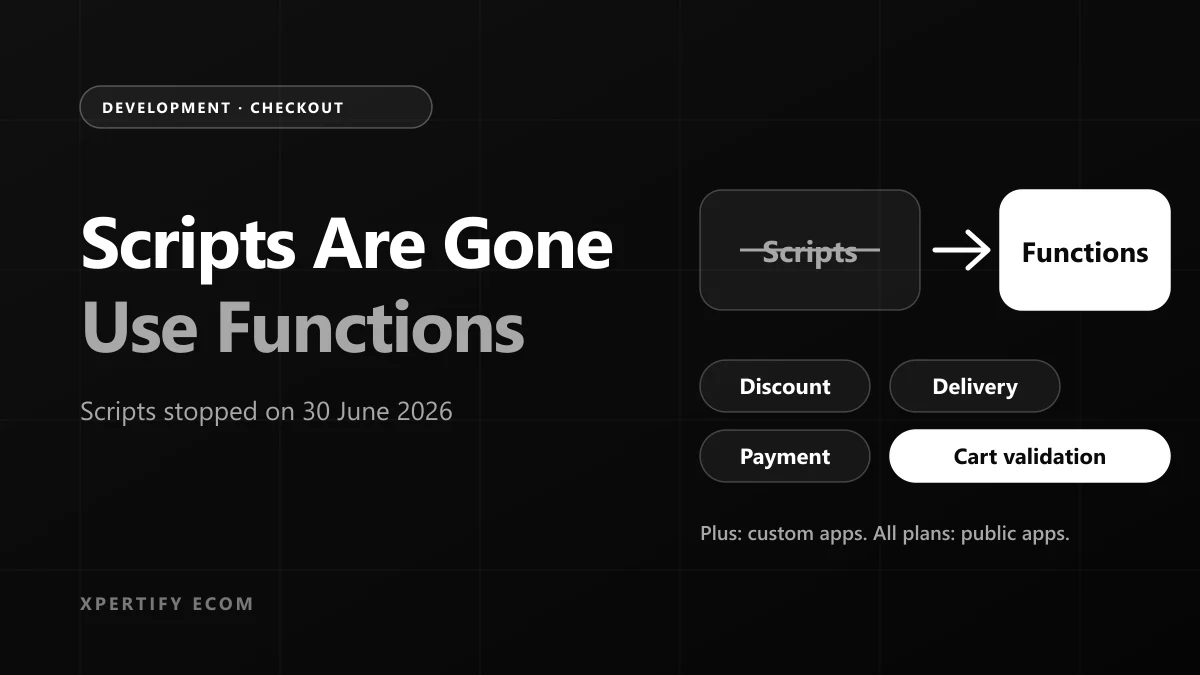
Shopify Scripts no longer run on any store. Shopify stopped letting merchants edit or publish Scripts on 15 April 2026, and they stopped executing entirely on 30 June 2026. If your checkout once relied on a Script for a discount, a shipping rule or a payment rule, that logic is not running now unless someone replaced it. This guide explains what replaced Scripts and how to check your store.
It is based on Shopify's changelog, its Help Center and its developer documentation, linked at the end and read in November 2026. Shopify's pages did not answer every question, so we say where they stay silent.
The timeline
| Date | What happened |
|---|---|
| 12 March 2026 | Shopify announced the dates: editing ends 15 April, execution ends 30 June. |
| 15 April 2026 | Scripts could no longer be edited or published. |
| 30 June 2026 | Scripts stopped running. Shopify's Help Center says they no longer run on any store. |
What replaced Scripts
Shopify's answer is Shopify Functions: small pieces of backend logic that Shopify runs at set points in the customer journey. Functions are not called by URL, and they run on Shopify's side, so they do not slow your storefront. Shopify's documentation lists these Function types for checkout:
| Function | What it does |
|---|---|
| Discount | Creates custom discount types for cart lines and delivery. |
| Cart Transform | Changes how cart lines are presented or priced. |
| Delivery Customization | Renames, hides or reorders delivery options. |
| Payment Customization | Hides or changes payment options. |
| Cart and Checkout Validation | Blocks checkout when a rule fails, for example an order maximum. |
| Order Routing | Chooses which location fulfils an order. |
| Fulfillment Constraints | Customises fulfilment and delivery strategies. |
| Pickup point and local pickup option generators | Generate pickup options at checkout. |
Shopify's pages do not give a one-to-one map from each old Script to a new Function, so this is our reading rather than an official table. A Script that changed prices or gave discounts usually becomes a Discount or Cart Transform Function. A Script that hid or renamed shipping rates usually becomes Delivery Customization. A Script that hid payment methods usually becomes Payment Customization.
Who can build what
- Any plan: you can install public apps from the Shopify App Store that contain Functions.
- Shopify Plus only: you can use custom apps that contain Function APIs, so a developer can write logic just for your store.
- Some individual capabilities are limited to Plus on their own documentation pages, so check the one you need before you commit to a plan.
In practice, a store on Basic, Grow or Advanced with a former Script usually needs a public app that does the same job. A Plus store can have it built. Our guide to Shopify Plus versus a standard plan covers when the upgrade makes sense.
How to check your store
- 01Shopify recommends its Scripts customizations report. The announcement points to Settings > Checkout, then the customizations report, on the Scripts tab. It lists what you had and what could move to Functions or a public app.
- 02Write down every rule your Scripts applied: tiered discounts, free-shipping thresholds, hidden payment methods, wholesale pricing. The list matters more than the code.
- 03For each rule, decide: replace with a public app, build a Function (Plus), or retire it.
- 04Place test orders. Try a cart that should get the discount, a cart that should not, each shipping destination and each payment method you used to hide or show.
- 05Compare orders since 30 June with what you expected. A discount that quietly stopped applying shows up as a lower discount total than usual.
Limits worth knowing before you build
- A Function's logic compiles to WebAssembly. Shopify provides Rust and JavaScript templates and strongly recommends Rust for performance, because large carts can fail otherwise.
- Input comes from a GraphQL query you define, and output is a JSON list of operations.
- Deleting a Function removes it permanently and it stops running on every store that has the app installed.
- Errors show on the app's Functions card as 'Errors on N area', and Shopify advises contacting the app developer and sharing the function logs.
A sensible order of work
- 01This week: run the report and list your old rules.
- 02Next: test checkout on a phone, because many shoppers buy on one.
- 03Then: replace the rules that cost you money first, usually discounts and free shipping.
- 04Before your next sale: place test orders again. A Black Friday promotion is a bad place to find a missing rule.
Had a Script that is not running now? We rebuild discounts, shipping rules and payment rules as Functions for a clear price.
See custom coding