Shopify Agentic Storefronts: How to Sell in ChatGPT and AI Search
Shopify can list your products in ChatGPT, Copilot and AI Mode. How Agentic Storefronts works, who qualifies, and what to fix in your product data first.
- Written by
 Fahad, CEO & Head of Development
- Published
- Reading time
- 7 min
- Audit Standard
- Real CrUX Data
On this page · 10 sections
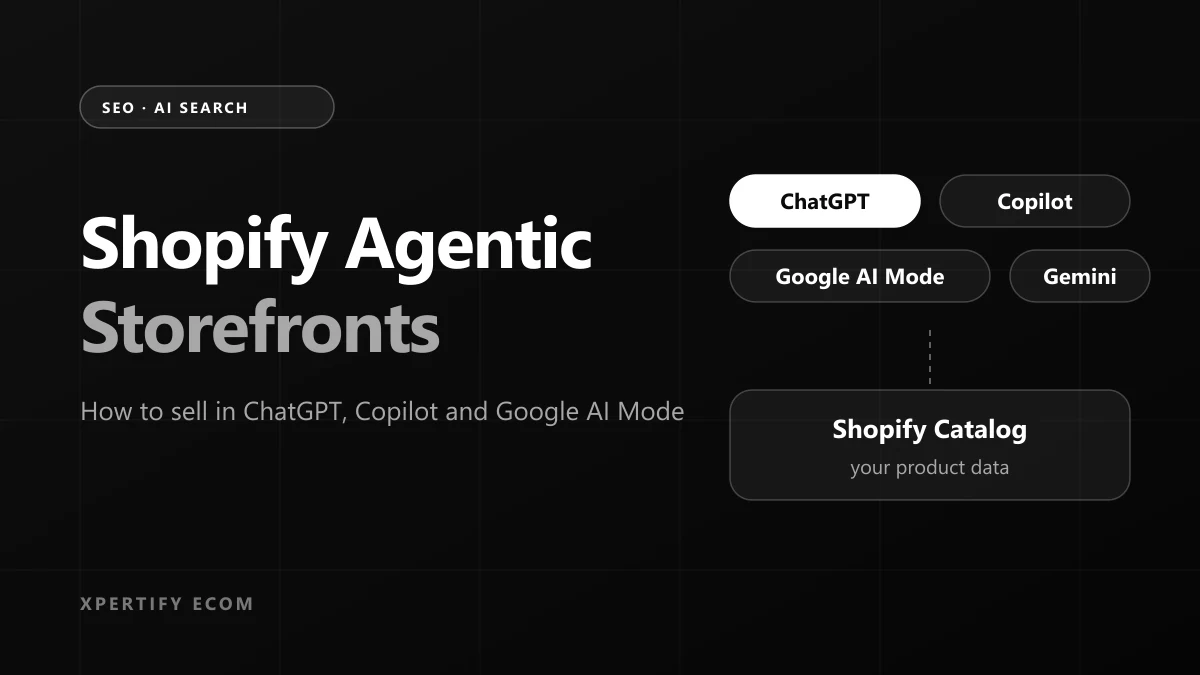
Agentic Storefronts is a Shopify sales channel that makes your products available inside AI assistants such as ChatGPT and Microsoft Copilot, so a shopper can find a product in a chat and buy it from your store. For eligible stores, product discovery in ChatGPT is already on by default. Your job is not to switch it on. It is to make sure the product data these assistants read is accurate, complete and consistent.
This guide is based on Shopify's own documentation, linked at the end and read in November 2026. Where Shopify says a feature is still rolling out, we say so. Shopify changes this area often, so treat the admin of your own store as the final word.
What Agentic Storefronts actually is
Shopify describes three layers that work together. Shopify Catalog turns your products into structured data that AI assistants can read. Agentic Storefronts is the channel in your admin that controls which AI channels receive that data and whether direct checkout is on. Shopify Checkout processes the purchase, on your store or in a direct checkout where one is available.
Behind this sits the Universal Commerce Protocol (UCP), a shared standard Shopify co-developed with Google for the way AI platforms exchange product and checkout information. Shopify's Spring '26 Edition says it is enabled by default for Shopify merchants.
Which AI channels are covered
| Channel | Status according to Shopify | How the buyer pays |
|---|---|---|
| ChatGPT | Product discovery is on by default for eligible stores selling to US buyers. Your store can be based in any country. | On your own store: an in-app browser on mobile, a new tab on the web. There is no separate direct checkout switch. |
| Microsoft Copilot | Shopify-powered direct checkout is on by default for eligible stores selling to US buyers. | Direct checkout where available, otherwise your store. |
| Google AI Mode and Gemini | Rolling out. Direct checkout is rolling out to buyers in the US, Canada and Australia. | Products arrive through the Google & YouTube channel or a Google Merchant Center feed. |
| Meta (Meta AI) | Direct checkout is on by default for eligible stores selling to buyers in 11 countries. | Direct checkout. Shoppable ads need the Facebook & Instagram by Meta channel. |
Perplexity is not listed as a channel on the Shopify pages we read. Some third-party write-ups mention it, so treat that as unconfirmed.
Are you eligible?
- Your products meet Shopify Catalog's requirements.
- You accept the Agentic Storefronts supplemental terms.
- Your terms of service, privacy policy and return and refund policy are complete.
- For Google AI Mode and Gemini: a Google Merchant Center account and products that meet its requirements.
- For ChatGPT and Copilot: you sell to buyers in the US. The store itself can be anywhere.
Being in Catalog does not guarantee that a product appears, or ranks, in any AI answer. Shopify says this itself. Treat the channel as an extra place your products can be found, not as a traffic source you control.
Check your settings in the admin
- 01Open Sales channels > Agentic. You will see eligibility, channel settings and performance reports.
- 02Look at Allow Shopify to manage for me. While it is on, Shopify turns channels on and off for you. Switch it off if you want to adjust individual channels.
- 03Decide on direct checkout channel by channel. Copilot, Google and Meta have a toggle. ChatGPT does not, because buyers pay on your store.
- 04Open Settings > Policies and make sure your refund, shipping, privacy and terms pages are filled in.
- 05Add store facts to the Knowledge base (under Sources in the Agentic area): who pays return shipping, how long delivery takes, and anything else an assistant will be asked.
- 06Check for products set to Unlisted. Shopify hides unlisted products from Shop, agentic storefronts, Catalog, search engines and your own store search.
Fix your product data first
Shopify says the quality and completeness of your product data decides whether a product comes up in a conversation or gets passed over. Its own example is a candle: scent, wax type, size and burn time all matter. Go through your best-selling products with this list.
| Check | What good looks like | Where to fix it |
|---|---|---|
| Title | Specific and unique: 'Soy Wax Candle, Cedar & Sage, 8 oz' rather than 'Candle 3'. | Product title |
| Description | Answers the questions a buyer would ask: materials, dimensions, compatibility, care, what is in the box. | Product description |
| Attributes | Materials, sizes and other structured facts are filled in. Custom fields need a review for Catalog mapping. | Category attributes and metafields |
| Variants | Clear option names such as Size and Color, and every option priced and stocked correctly. | Product variants |
| Images | Photos match the product and each variant, with a clean main image. | Product media |
| Price and stock | Current at all times. Shopify checks inventory at checkout, so an oversell is caught late. | Product and inventory pages |
| Policies | Complete, and consistent with what the product page says. | Settings > Policies |
Shopify's guide does not name barcodes or metafields. If you sell branded products, barcodes are still worth filling in, because Google Merchant Center uses them to match products. Our Google Shopping feed guide covers those fields. That is our advice, not a Shopify requirement.
What will not work in direct checkout
Shopify says direct checkouts for Google, Copilot and Meta do not support bundles, customizable products or subscription-only purchases. Some checkout fields and delivery methods are not available there either. ChatGPT buyers pay on your own store, so your normal checkout applies.
If your best sellers are bundles or personalised items, buyers from those channels will land on your store instead of buying in the chat. That is fine, but know it before you judge the results. Our checkout extensibility guide explains what your own checkout can do.
Speed matters more than you think
For ChatGPT, the buyer finishes the purchase on your store, in an in-app browser on a phone. That is a cold mobile page load, often on mobile data. A slow product page or checkout loses the sale the assistant just sent you. When we tested 118 public Shopify stores, the median mobile PageSpeed score was 44 (see the full study). Run your own product page through our free speed test and read how to get under two seconds in our speed guide.
How to measure it
Shopify's Spring '26 Edition added an Agentic view to the admin. It shows orders, sales and conversions from ChatGPT, Copilot, Google AI Mode, Gemini and Shop in one place, and a search intelligence report with the top AI queries in your category, including ones your store does not appear for.
Shopify also says AI searches powered by Catalog convert at twice the rate of scraped data. That is Shopify's claim about its own product, so judge your own numbers instead. Two habits make that easy:
- Note your AI-channel orders and sales on the first of each month, so you have a baseline.
- Once a month, ask ChatGPT and Gemini for your product type with the attributes a buyer would use, and record whether you appear. One answer is not a ranking. A trend over several months is a signal.
What we do not know yet
- How much revenue a small store should expect. Shopify publishes no typical figures for merchants.
- What it costs. The Shopify pages we read give no separate fee for Agentic Storefronts on a standard Shopify plan. They list fees only for the separate Agentic Plan for stores that are not on Shopify (from 2.9% + 30 cents on US online card payments). Check your own admin before relying on this.
- How placement works. Shopify does not publish ranking factors.
- Exact dates. Shopify's own pages disagree on dates for the main guide, and several channels are still rolling out by country.
A one-week plan
- 01Day 1: open Sales channels > Agentic, check eligibility and each channel's settings.
- 02Day 2: rewrite titles and descriptions for your 20 best sellers.
- 03Day 3: fix variant names, attributes and images on those products.
- 04Day 4: complete your policies and add Knowledge base facts.
- 05Day 5: speed-test your top product page and checkout on mobile, and fix the biggest issues.
- 06Day 6: if you sell to Google's channels, check your Merchant Center feed for errors.
- 07Day 7: record your baseline: AI-channel orders and the prompts you tested.
Agentic Storefronts covers the AI channels Shopify connects for you. Getting your own site cited in AI answers is a different job, covered in our guide to Shopify AI search optimization.
Need product titles, variants and attributes cleaned up across your whole catalog? We can do it in bulk for a clear price.
See custom coding