Shopify Horizon Theme Review: Should You Use It in 2027?
Horizon is Shopify's free flagship theme. What it is, what 214 reviews say, how theme blocks work, and how to switch without breaking your store.
- Written by
 Fahad, CEO & Head of Development
- Published
- Reading time
- 4 min
- Audit Standard
- Real CrUX Data
Horizon is a free theme built by Shopify. Shopify's own repository calls it the flagship of a new generation of first-party themes, built on theme blocks that can be nested and reused. The latest version we found is 4.5.0, released on 10 November 2026. Whether you should use it depends on what your store runs today, because switching themes is where stores get hurt.
We read the Theme Store listing, Shopify's GitHub repository and release notes, and Shopify's theme-blocks documentation, all linked at the end. We have not benchmarked Horizon against your theme, so we make no speed claim. Test your own store, and we show you how.
What Horizon is
- Free in the Theme Store, and you can try it before adding it.
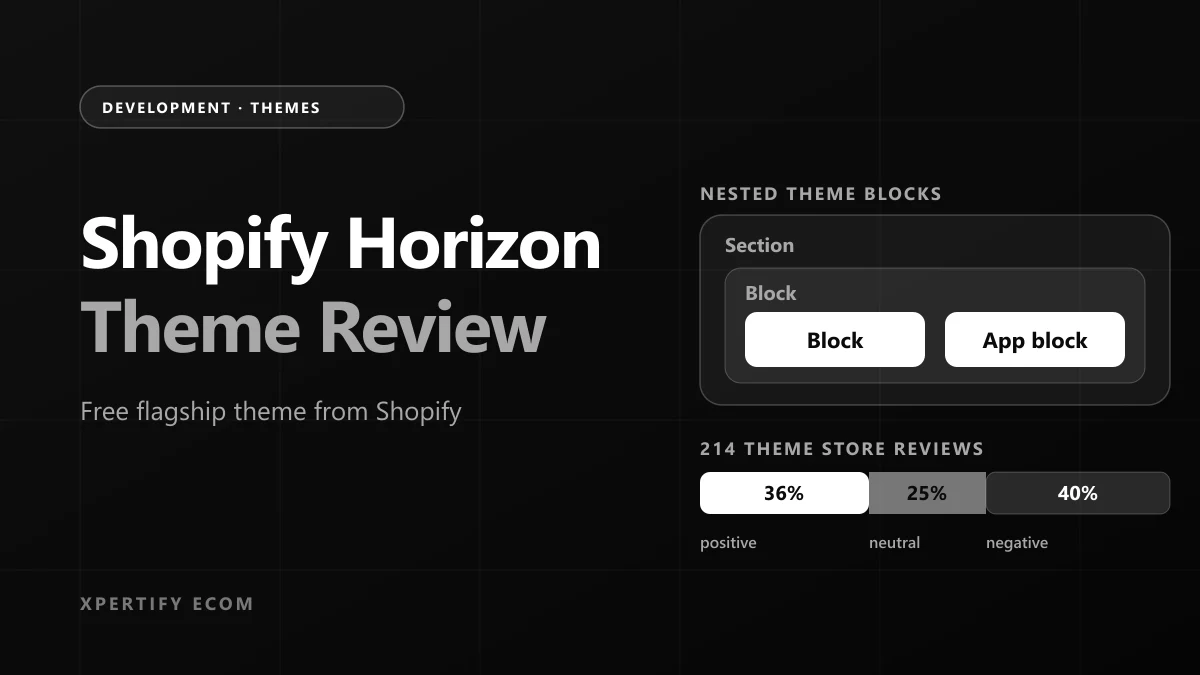
- Built on theme blocks. Blocks live at theme level, can be reused across sections, and can contain other theme and app blocks, so a section can be assembled from nested pieces in the theme editor.
- Server-rendered Liquid. The README states principles of progressive enhancement, features defaulting to 'no' until they meet a bar, and 'functional, not pixel-perfect'.
- Wide feature list in the Theme Store: slide-out cart, quick buy, quick view, mega menu, filtering and sorting, swatches, product videos, back-in-stock alerts, recently viewed products, size charts and more.
- Supported by Shopify Subscriptions. Shopify's subscription docs list the Horizon family among supported themes.
What the reviews say
When we looked, the Theme Store showed 214 reviews: 36% positive, 25% neutral and 40% negative. Reviews are opinions from merchants, not tests, but the complaints are specific enough to be useful:
- After upgrading to version 4.5, one merchant reported custom code was not carried over even though a message said it had been, losing a hover effect and an image zoom.
- A merchant reported that sale strikethrough prices did not show when the sale was set up in Discounts.
- A merchant reported that currency formatting drops trailing zeros for pounds but not for other currencies.
- A beginner reported a page-loading issue they had to fix in code.
- One review reported an invalid heading structure from tag-based language and region output.
What changed in 4.5.0
Shopify's release notes list product pages that can show physical stores with the product in stock even without pickup (on by default, switchable in the Buy buttons block), screen-reader fixes, product layout and quick-add fixes, and page-speed work: blog post and collection-list card images after the third section now load lazily, and mobile cards request images closer to their display size. Shopify gives no benchmark figures.
Who should and should not switch
| Your situation | Our view |
|---|---|
| New store, no custom code | A strong default. It is free, current and built for the theme editor. |
| Store on an older theme with heavy custom code | Do not switch on the live store. Rebuild the custom parts on a duplicate theme first. |
| Store with a premium theme you like | Stay unless something specific is broken or slow. A new theme is not a fix for a bad offer. |
| Store that needs a very custom design | Horizon is a base, not a finished design. Budget for development. |
| Developer building a theme to sell | Shopify's README says themes derived from Horizon are not eligible for the Theme Store. Use the Skeleton Theme instead. |
How to switch safely
- 01Run a speed test and note the numbers for your homepage, a collection and a product page.
- 02Duplicate your live theme as a backup (Online Store > Themes).
- 03Add Horizon as a separate unpublished theme and rebuild your homepage and top product page in it.
- 04Re-add anything that lived in the old theme: app sections, custom code, tracking scripts. Sections and code belong to one theme and do not follow you automatically.
- 05Test checkout on a phone, with a discount code, a gift card if you use them, and each payment method.
- 06Check your analytics and ad pixels fire on the new theme.
- 07Run the same speed tests. Publish only if the numbers and the checkout are at least as good.
What we could not verify
The pages we read did not list Horizon's preset names, compare it with Dawn, describe a Dawn migration path, or show measured Core Web Vitals. We do not state any of those. Our guide to theme speed rankings uses real tests, and the same method works on Horizon in your own store.
Want a theme switch done without lost code or a slower store? We rebuild custom sections, test checkout and compare speed before and after.
See store development