Shopify Critical Rendering Path: Eliminating Render-Blocking CSS & Deferring JS for Sub-1.2s LCP
A deep engineering guide to optimizing the critical rendering path in Shopify — inlining above-the-fold CSS, eliminating render-blocking scripts, and hitting 95+ mobile scores.
- Written by
 Fahad, Founder — Head of Development
- Published
- Reading time
- 3 min
- Audit Standard
- Real CrUX Data
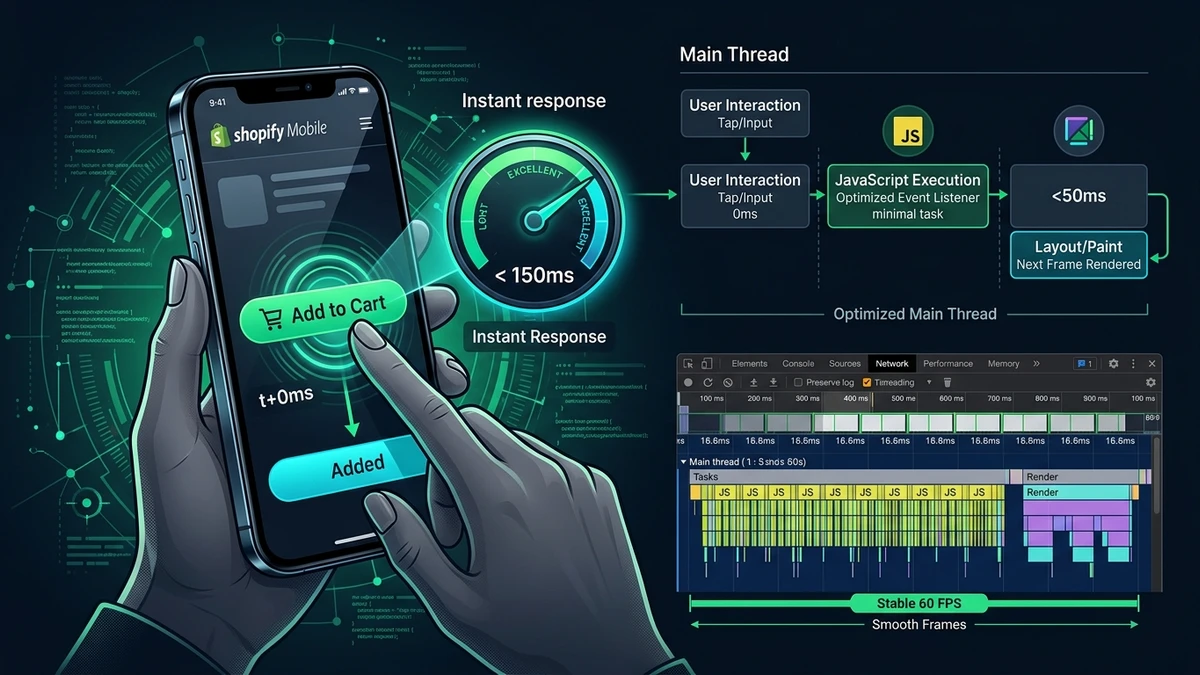
When a customer taps your ad on an iPhone over a 4G connection, their browser doesn't wait politely for your store's 15 CSS files, font families, and tracking scripts to download before rendering. It executes a strict, millisecond-by-millisecond browser lifecycle known as the Critical Rendering Path (CRP).
If your `theme.liquid` loads stylesheets with standard blocking `<link rel="stylesheet">` tags in the `<head>`, the browser halts HTML parsing completely. The screen stays stark white for 2.2 to 3.8 seconds — causing over 53% of paid mobile visitors to bounce before your product hero image ever appears. In our Shopify speed optimization services, re-engineering this path is the single highest-impact technical intervention we perform.
How the Browser Parses a Shopify Storefront
To fix render-blocking delays, you must understand the sequential phases every browser executes before rendering your first pixel:
- 01DOM Construction (Document Object Model): The browser reads raw HTML bytes from Shopify's CDN, converts them to characters, tokens, and creates nodes in the DOM tree.
- 02CSSOM Construction (CSS Object Model): The moment the browser encounters an external CSS stylesheet, it pauses DOM parsing. It must download and parse the entire stylesheet before it can determine which styles apply to which elements.
- 03Render Tree Calculation: The browser merges the DOM and CSSOM trees into a unified Render Tree containing only visible elements and their computed geometric styles.
- 04Layout (Reflow): The browser computes the exact screen coordinates and dimensions for each element relative to the device viewport.
- 05Paint & Composite: Pixels are rendered to the screen. Largest Contentful Paint (LCP) triggers when the primary hero element or product photo finishes drawing.
Step 1: Inlining Above-the-Fold Critical CSS
Rather than forcing mobile visitors to download a monolithic 120kB stylesheet before seeing your header, announcement bar, and product title, we extract the Critical CSS — the minimum CSS required to render the top 800px of the mobile viewport — and inline it directly inside `<style>` tags in `theme.liquid`.
The remaining non-critical styles are then loaded asynchronously using a non-blocking media toggle pattern that does not delay page rendering:
- Inline critical layout rules: grid container, header height, typography tokens, and primary product photo frame directly in the document `<head>`.
- Load non-critical theme CSS with `media="print" onload="this.media='all'"` so the browser fetches it in the background with lowest priority.
- Provide a `<noscript>` fallback for search engine crawlers and users with disabled client-side script execution.
Step 2: Eliminating Third-Party Script Hangs
Customer reviews, currency switchers, and marketing tags frequently inject heavy JavaScript without `defer` or `async` flags. When a browser encounters `<script src="...">`, it stops DOM construction, fetches the script across the internet, and executes it immediately.
| Script Loading Method | Main Thread Behavior | Impact on LCP & INP | Recommended Use Case |
|---|---|---|---|
| Standard `<script>` | Blocks DOM parsing immediately until downloaded and executed | Severe delay (+1.5s to FCP/LCP) | Never use on storefronts |
| `async` Attribute | Downloads in parallel; executes immediately when ready | Interrupts DOM parsing unpredictably | Independent analytics (e.g., GA4) |
| `defer` Attribute | Downloads in parallel; executes after DOM is fully parsed | Zero render-blocking; preserves script order | Core UI libraries (swipers, drawers) |
| Interaction Observer (Lazy) | Does not download until user scrolls or touches screen | Zero impact on initial load scores | Review widgets, chat apps, recommendation carousels |
The Benchmark: Sub-1.2s Largest Contentful Paint
By inlining critical layout rules, preloading the LCP product image with `<link rel="preload" as="image" fetchpriority="high">`, and deferring all non-essential JavaScript to post-hydration, stores routinely drop mobile LCP from 4.6s down to 1.1s. This directly qualifies your domain for Google's top Core Web Vitals tier and lifts paid ad conversion rates by 12% to 28%.
Is your store bogged down by render-blocking assets? Let our senior Shopify speed engineers profile your critical path and guarantee a 90+ mobile score.
Get a Critical Path Audit