Shopify Core Web Vitals: The 2026 Playbook
LCP, INP and CLS explained for Shopify merchants — what each one measures, what breaks it on a real theme, and the fix order that gets you into the green.
- Written by
 Fahad, CEO & Head of Development
- Published
- Reading time
- 3 minutes
Core Web Vitals are the three numbers Google uses to describe what your store *feels* like to use. They are not a vanity score. They feed into ranking, they correlate with bounce, and on mobile they are usually the difference between a visitor who scrolls and a visitor who leaves before your hero image paints.
This is the order we work through them on every speed optimization engagement, and why that order matters.
The three metrics, in plain terms
| Metric | What it measures | Good | Needs work |
|---|---|---|---|
| LCP | When the biggest thing on screen finishes drawing | ≤ 2.5s | > 4.0s |
| INP | How fast the page answers a tap or click | ≤ 200ms | > 500ms |
| CLS | How much the layout jumps while loading | ≤ 0.1 | > 0.25 |
INP replaced FID in 2024, and it is a far harsher test. FID only measured the delay before the browser *started* responding. INP measures the whole round trip, including the render. Themes that scored well on FID routinely fail INP.
Fix LCP first — it is almost always the hero image
On a Shopify storefront the Largest Contentful Paint element is the hero banner about nine times out of ten. Four things make it slow, in the order they usually bite:
- 01The image is lazy-loaded. Shopify themes lazy-load images by default. Doing that to the hero means the browser deliberately waits before fetching the one image the score depends on. Set `loading="eager"` and `fetchpriority="high"` on the first banner only.
- 02It is served far larger than it displays. A 3000px-wide JPEG rendered into a 780px slot wastes most of its bytes. Use Shopify's image transforms with a proper `srcset` and let the browser pick.
- 03It is a JPEG or PNG. WebP is typically 25–35% smaller at the same perceived quality, and Shopify's CDN will serve it for you.
- 04A render-blocking font or app script sits in front of it. The browser cannot paint until it has resolved blocking resources in the `<head>`.
Then INP — which means auditing your apps
INP problems are almost never the theme. They are third-party JavaScript competing for the main thread. Every review widget, upsell app, chat bubble, popup builder and analytics pixel adds listeners and work to the same single thread that has to answer the customer's tap.
The diagnosis is unglamorous: open Chrome DevTools, record a performance trace while tapping a variant selector, and look for long tasks over 50ms. Then match those tasks back to the script that owns them. We cover the removal side in detail in how app bloat kills conversion.
CLS is the cheapest one to fix
Cumulative Layout Shift is caused by content arriving without a reserved space. The fixes are mechanical:
- Put explicit `width` and `height` attributes on every image so the browser reserves the box before the bytes arrive.
- Give announcement bars, banners and cookie notices a fixed height rather than letting them push the page down on arrival.
- Load webfonts with `font-display: swap` and a size-adjusted fallback, so the swap does not reflow the paragraph.
- Never inject an app's markup above existing content after load.
Measure the right thing
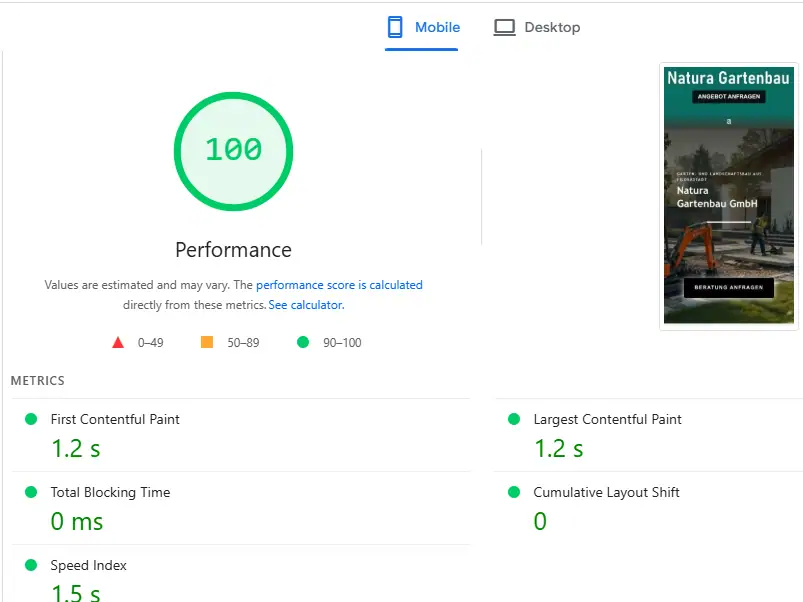
Lighthouse runs a simulated test on a throttled connection. It is useful for diagnosis and useless as a KPI, because it changes between runs on the same page. What Google actually ranks on is field data — the Chrome User Experience Report, gathered from real visitors over a rolling 28 days.
So expect a lag. You ship the fix today; the field data catches up over the following month. Merchants who judge the work on lab scores alone tend to panic in week two.
Treat Lighthouse as the X-ray and field data as the diagnosis. One tells you where it hurts, the other tells you whether it healed.
What good looks like
A well-built Shopify store on a mid-range Android over 4G should paint its hero in under 2.5 seconds, answer the first tap in under 200ms, and never move under the customer's thumb. That is achievable on a real store carrying real apps — it just requires someone to decide what does not earn its place.
Run the speed test on our speed page, then pick a package — every one ends with a before/after report.
See how speed optimization works