Why Your Shopify Store Scores 90 on Desktop but 35 on Mobile (And How to Fix It)
Understand why Google PageSpeed Insights evaluates mobile devices so much harsher, and the exact architectural changes required to get mobile Shopify scores into the green.
- Written by
 Zayn, Developer & Performance Expert
- Published
- Reading time
- 2 min
- Audit Standard
- Real CrUX Data
On this page · 2 sections
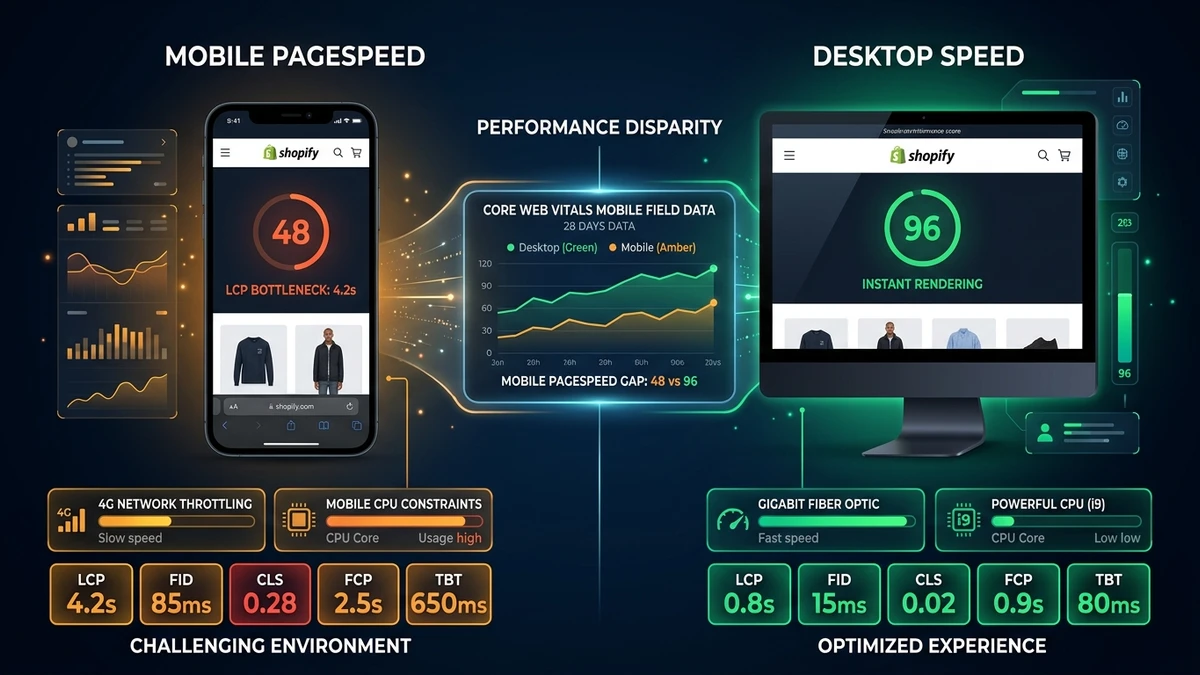
It is one of the most common frustrations among Shopify merchants: you run your store URL through Google PageSpeed Insights, desktop shows an enviable 92 (Green), but mobile returns a dismal 34 (Red). Merchants often assume Google has a bug or that Shopify's servers are slow.
In reality, desktop and mobile tests simulate completely different environments. Desktop tests run on unthrottled high-speed connections with multi-core processors. Mobile tests simulate a budget Android device running on a high-latency 4G network with severely constrained CPU and memory.
The Hardware & Network Gap Explained
| Testing Factor | Desktop Lighthouse Emulation | Mobile Lighthouse Emulation |
|---|---|---|
| CPU Processing | Unthrottled desktop multi-core | 4x CPU slowdown (Moto G4 profile) |
| Network Latency | Broadband connection (10ms) | High-latency throttled 4G (150ms RTT) |
| Image Payload Limit | Generous buffer | Strict byte penalty per viewport |
| DOM Element Count | Handles 2,000+ nodes easily | Struggles past 800 DOM nodes |
4 Changes That Specifically Rescue Mobile Scores
- 01Serve Viewport-Specific Image Dimensions: Serving a 1400px desktop hero image to a 390px mobile viewport wastes over 80% of downloaded bytes. Implement `<picture>` tags or Liquid `image_tag` with accurate mobile `widths: '375, 550, 750'` and responsive `sizes` attributes.
- 02Conditionally Defer Heavy Desktop Sections: Features like mega-menus with nested dropdowns, video backgrounds, and multi-tier collection tabs should not inflate the initial mobile DOM. Render simplified, touch-friendly mobile components.
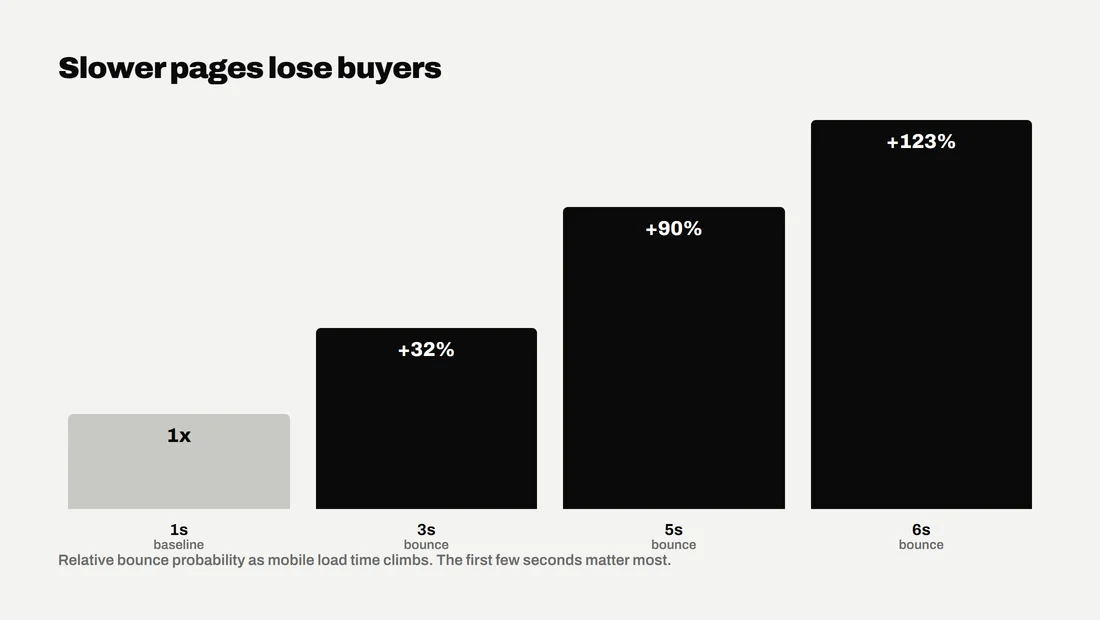
- 03Disable Autoplay Video Backgrounds on Mobile: Video files consume enormous bandwidth and prevent low-power mobile GPUs from entering battery-saving states, directly dragging down LCP.
- 04Consolidate App Scripts into Async Execution: On constrained mobile CPUs, executing 2MB of third-party JavaScript freezes the screen for 4–7 seconds. Defer all non-critical scripts until after the initial viewport paint.
Ready to get your mobile PageSpeed score into the green? We optimize Shopify themes specifically for mobile devices at clear prices with guaranteed results.
Fix Your Mobile PageSpeed