Shopify Site Search That Finds the Product: Setup, Speed and Common Fixes
When shoppers search and find nothing, they leave. Here is how to set up search that understands misspellings and synonyms, without slowing your store down.
- Written by
 Fahad, CEO & Head of Development
- Published
- Reading time
- 2 minutes

A shopper who uses the search box is one of your most motivated visitors. They already know what they want. If the search returns nothing for a simple misspelling, or shows a shirt when they typed sweater, you lose the sale at the moment they were ready to buy. Search deserves the same care as the product page.
The four failures that send shoppers away
- No results for a common misspelling, such as a product typed with the wrong letters.
- Synonyms missed, so a shopper searching for trainers gets nothing when the store says sneakers.
- Irrelevant results ranked first, usually because product titles are vague or keyword-stuffed.
- Slow results, where the search box lags behind the typing and the shopper gives up.
Fix the data before you buy a tool
Search quality starts with product data. Titles should name the product the way a shopper would, tags should cover the synonyms your buyers actually use, and the product type should be consistent. A search app can smooth over the gaps, but it cannot invent the words a product page never used. Clean the data first, then judge the tool on what is left.
| Data field | What good looks like |
|---|---|
| Product title | The name a shopper would type, such as the style and the colour |
| Tags and synonyms | Common alternatives, including regional terms |
| Product type | One consistent category per product |
| Description | Plain language that names materials, use and fit |
Keep search fast
Search runs on every keystroke, so a heavy script or a slow results request is felt immediately. Load the search code only when the shopper focuses the box, keep the results panel light, and cap the number of suggestions. The same discipline that keeps a collection filter fast applies here: update only what changed, and avoid redrawing the whole page.
Measure whether search is helping
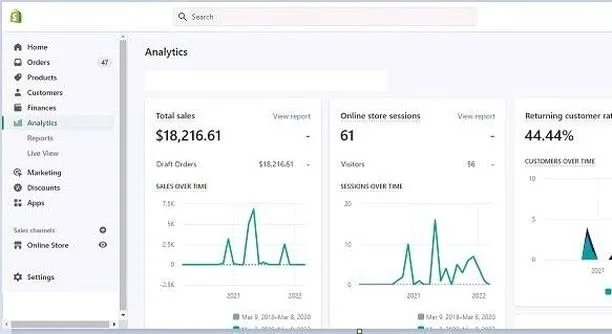
Track three numbers: the share of visitors who use search, the conversion rate of those visitors compared with everyone else, and the number of zero-result searches each week. If search users convert well and the zero-result list keeps shrinking, search is doing its job. The official Shopify help center covers the reports you need to set this up.
Search is part of a store's conversion path. We review the product data, the search setup and the speed of the results, then fix the gaps that cost sales.
See store development