Shop Campaigns: Pay Only When Your Shopify Ads Convert
Shop Campaigns is Shopify's pay-per-sale ad program: how billing works, the 7-day attribution rule, where ads run, and how to check it beats Meta ads.
- Written by
 Fahad, CEO & Head of Development
- Published
- Reading time
- 3 min
- Audit Standard
- Real CrUX Data
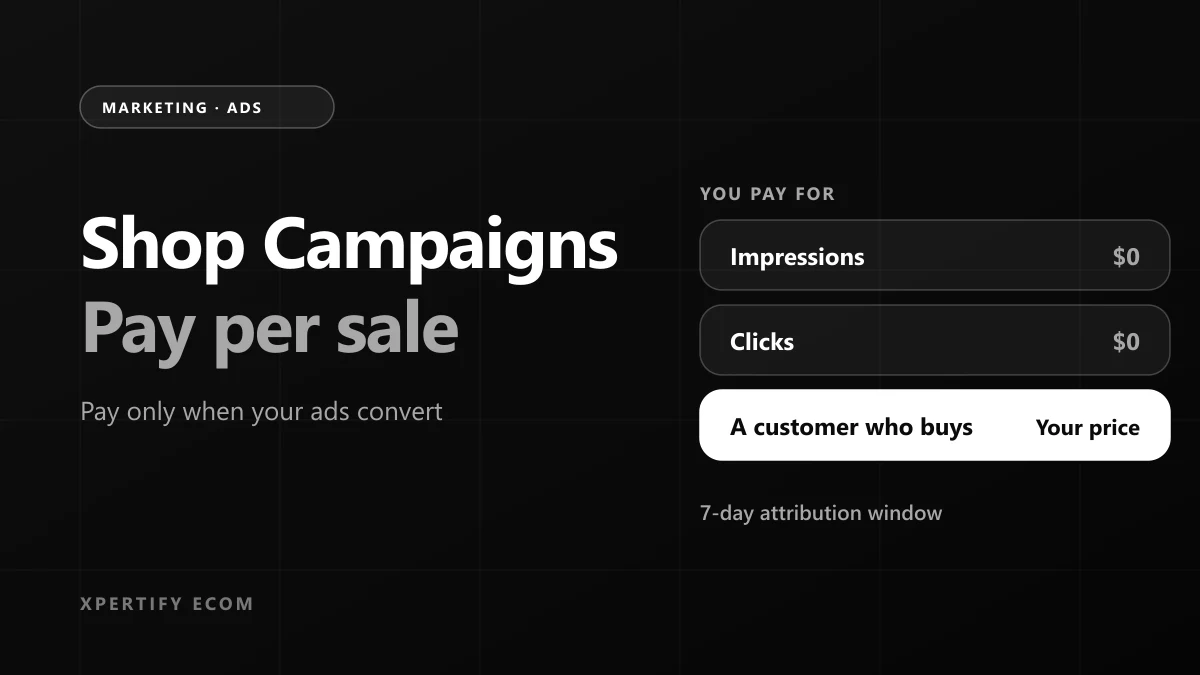
Shop Campaigns is Shopify's ad program where you pay only when a customer converts, not for impressions or clicks. You choose the cost you are willing to pay to win a customer, and Shopify runs the ads across the Shop app, shop.com and the Shopify Product Network, with optional third-party placements. There is no upfront budget or subscription fee. That sounds risk-free, and mostly it is, but the billing rules deserve a careful read.
This guide follows Shopify's Shop Campaigns pages and Help Center, linked at the end and read in November 2026. We did not read the eligibility page, so we cannot say which stores qualify. Check inside your admin. Shopify's Fall '26 Edition says Shop Campaigns expanded to more than 35 markets.
How the billing works
- Cost per customer: you set the amount. Shopify says the charge per order varies but on average trends towards the customer acquisition cost you set.
- No prefunding: you do not load a budget in advance.
- 7-day attribution: an order placed within 7 days after a customer clicks is attributed to the campaign.
- Charges after you stop: you can be charged up to 7 days after you pause or end a campaign, for orders that were already attributed.
- No refunds for cancelled orders: Shopify says charges are not refunded if the order is later cancelled or refunded.
- Tax: taxes may apply to the charges.
Where the ads appear
Shopify's help page says ads can run on the Shop app, shop.com and the Shopify Product Network, plus optional third-party placements. Shopify's marketing page names Meta, Google, ChatGPT and Pinterest and quotes '18M+ sales'. That figure is Shopify's own claim and we cannot verify it. The marketing page lists regions such as the United States, Canada and Australia among others, and the Fall '26 Edition says the program now covers more than 35 markets.
How to decide your cost per customer
Start from your margin, not from what other brands pay. Example with made-up numbers: average order value $60, product cost and shipping $30, payment fees $2. Profit on a first order is $28 before ads. If you set a cost per customer of $28 you break even on the first order and make money only on repeat purchases. Start lower, such as $15 to $18, and raise it only if sales stay profitable.
| If your first-order profit is | A cautious first cost per customer |
|---|---|
| $20 | $10 to $12, or about half |
| $28 | $14 to $16 |
| $40 | $20 to $24 |
These halves are our rule of thumb, not Shopify's. They leave room for the variation above and for returns. If you have strong repeat purchase data, a higher number can be fine.
Shop Campaigns versus Meta and Google ads
| Shop Campaigns | Meta or Google ads | |
|---|---|---|
| You pay for | A converted customer | Clicks or impressions |
| Upfront budget | None | Daily budget |
| Control over audience and creative | Less. Shopify runs the placement | More |
| Risk when it does not work | Low, you pay only on sales | You still pay for clicks |
| Good for | Testing a new channel safely | Scaling a proven offer |
For a store with a weak budget, pay-per-sale is a sensible first test. If your product pages convert badly, no ad program will fix it. Read our guides to Meta ads for Shopify and Google Ads versus Meta Ads before you decide where to spend.
Related: Shop Promise
Shopify's Fall '26 Edition also describes Shop Promise, a free program for eligible US stores. Qualifying products get badges on product pages, checkout and the Shop app, and badged products can rank higher in Shop app search and Shopify Catalog. If you are eligible, it costs nothing to look at.
A two-week test
- 01Pick your three best-selling products with healthy margins.
- 02Set a cautious cost per customer from the table above.
- 03Wait the full two weeks, then add 7 days for late attribution.
- 04Compare charges against profit on those orders, including returns.
- 05Keep it, raise it or stop. Do not judge it after three days.
Want your product pages ready to convert paid traffic before you spend on ads? We tune speed, product pages and checkout together.
See speed optimization