Shopify Migration Without Losing Traffic or Rankings
The redirect mapping, URL structure and validation steps that decide whether a replatform keeps your organic traffic or quietly destroys it.
- Written by
 Fahad, CEO & Head of Development
- Published
- Reading time
- 2 minutes

Migrations go wrong in one specific way: the new site launches, everything looks great, and six weeks later organic traffic is down 60% and nobody can say exactly when it started. Almost always, the cause is redirects.
Map every URL before you build anything
Not the important ones. Every one. Build a spreadsheet with the old URL, the new URL, and the redirect type, sourced from:
- A full crawl of the existing site (Screaming Frog or similar).
- Search Console — every page that has received an impression in the last 16 months.
- Your analytics — every page with a session in the last 12 months.
- Your backlink profile — every page anyone else has linked to.
Shopify's URL structure is not negotiable
Shopify forces prefixes you cannot remove: `/products/`, `/collections/`, `/pages/`, `/blogs/`. If you are coming from WooCommerce or Magento with clean URLs, every single URL changes. There is no way around it, so plan the redirect map as a first-class deliverable rather than a launch-day chore.
| Platform | Old pattern | Shopify equivalent |
|---|---|---|
| WooCommerce | /product/blue-shirt | /products/blue-shirt |
| WooCommerce | /product-category/shirts | /collections/shirts |
| Magento | /shirts/blue-shirt.html | /products/blue-shirt |
| BigCommerce | /blue-shirt/ | /products/blue-shirt |
| Custom | /shop/item/1234 | /products/blue-shirt |
Redirect rules that matter
- 01301, always. A 302 tells Google the move is temporary and authority does not transfer.
- 02One hop. Chains of redirects leak authority and slow the page. Point old directly at final.
- 03Never bulk-redirect to the homepage. Google treats that as a soft 404 and you lose the page entirely.
- 04Discontinued products go to the parent collection, not the homepage.
- 05Keep the old redirects too. If the old site already had redirects, they need to survive the migration.
Launch sequence
- 01Build on a password-protected Shopify store. Confirm `noindex` while staging.
- 02Import the redirect map into Shopify (Navigation → URL Redirects, or via CSV).
- 03Verify the new domain in Search Console before cutover.
- 04Cut over DNS at a genuinely low-traffic hour for your market.
- 05Immediately spot-check 30–50 redirects by hand, weighted to your highest-traffic URLs.
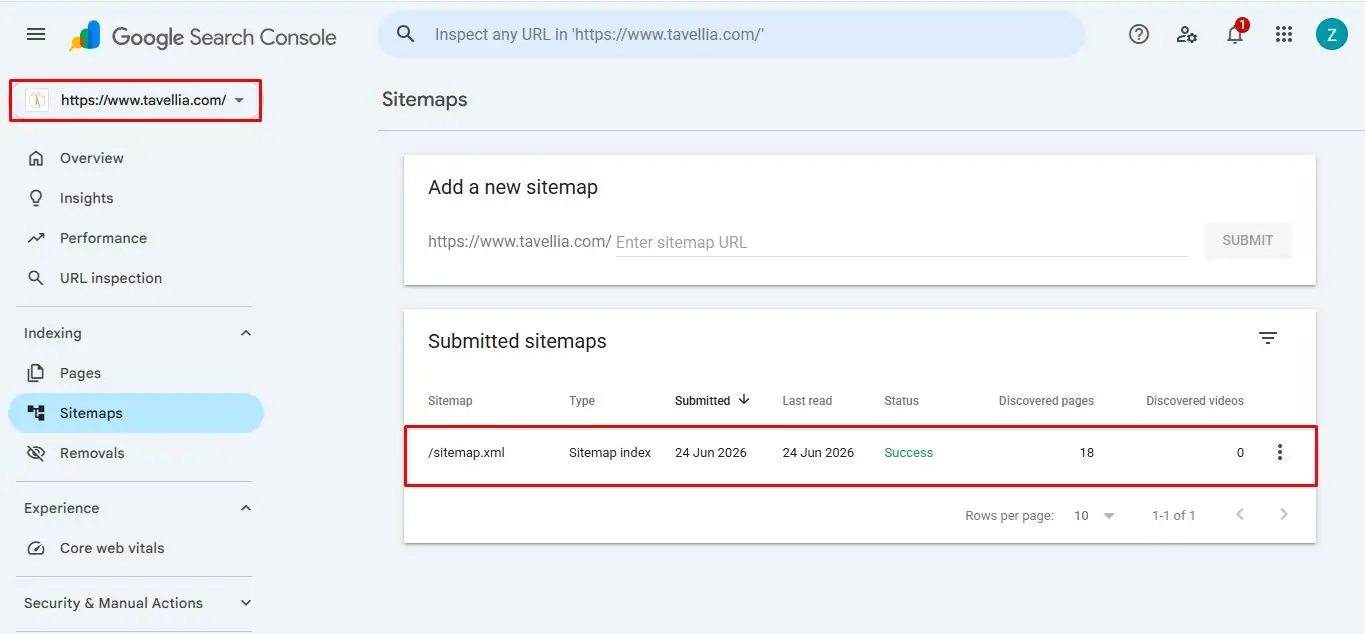
- 06Submit the new sitemap. Use the Change of Address tool if the domain itself is changing.
The first eight weeks
Expect a dip. A 10–20% drop for two to four weeks is normal while Google re-crawls and re-evaluates. What is not normal is a drop that keeps going after week four, or 404s climbing in Search Console.
Watch the Coverage report daily for the first fortnight. Every 404 that appears is a URL you missed in the map — add the redirect the same day, while the authority is still recoverable.
A migration is not a design project with an SEO checklist bolted on. It is an SEO project that happens to include a redesign.
We have migrated stores from WooCommerce, Magento, BigCommerce and bespoke platforms — with the redirect map built before the first line of theme code.
Plan your migration