The Fake Shopify Speed Optimization Scam: How Shady Apps & Experts Hack Scores (And Ruin Stores)
Shopify's engineering team discovered that nearly 15% of speed apps cheat automated metrics using bot cloaking. Learn how fake speed scripts work, why they destroy ad tracking, and how to verify your real store speed.
- Written by
 Fahad, CEO & Head of Development
- Published
- Reading time
- 13 min
- Audit Standard
- Real CrUX Data
On this page · 9 sections
- 01Why Bad Actors Cheat Shopify Speed Metrics
- 02The Anatomy of the Scam: How Fake Speed Scripts Work
- 03Deconstructing the Malicious Code Inside theme.liquid
- 04How to Detect Fake Shopify Speed Optimization (Shopify's Diagnosis Guide)
- 05The 3-Phase Catastrophic Collapse of Store Revenue
- 06Steps Shopify Took to Protect the Performance Ecosystem
- 07Head-to-Head: Fake Speed Exploits vs. Real Shopify Engineering
- 08How Genuine Shopify Speed Optimization Actually Works
- 09Step-by-Step: How to Clean Your Theme After a Fake Speed Scam
Every week, our senior Shopify speed optimization engineering team receives emergency inquiries from DTC brand founders facing an identical crisis: their store's conversion rate has collapsed, Customer Acquisition Cost (CAC) on Meta and TikTok has doubled, and ad dashboards show missing purchase events — yet their mobile PageSpeed Insights score sits at a sparkling 98/100 (Green).
Almost without exception, the timeline points to a single decision made two weeks earlier: installing an 'instant speed booster' app or hiring a budget contractor who promised *'Guaranteed 90+ Mobile Google PageSpeed in 24 hours with no apps removed.'* What sounded like a bargain was actually the fake Shopify speed optimization scam — an insidious industry exploit that cheats automated audit tools while crippling real-world ecommerce revenue.
Why Bad Actors Cheat Shopify Speed Metrics
To understand why the Shopify fake speed score trick is so widespread, you have to look at the perverse incentive structure across freelance marketplaces (Fiverr, Upwork) and app stores. Merchants know that speed directly dictates conversion rates, but they often lack the technical background to distinguish between genuine code optimization and synthetic score spoofing.
As official Shopify engineers noted, real speed optimization is demanding engineering work: it requires refactoring Liquid templates, eliminating render-blocking CSS, minifying custom JavaScript, optimizing images, and building facade loaders for heavy apps. That takes time and deep platform expertise. In contrast, writing a 10-line JavaScript snippet that checks `if (navigator.userAgent.includes('Lighthouse'))` and aborts all scripts takes five minutes. Shady developers charge $30 to $100, deliver an instant 99 score screenshot, collect a five-star review, and leave the merchant with a broken store.
The Anatomy of the Scam: How Fake Speed Scripts Work
Automated performance testing tools like Google PageSpeed Insights, Google Lighthouse, GTmetrix, and Pingdom do not test your store using real shoppers browsing on cellular 4G/5G connections. Instead, they spin up automated, headless virtual Chrome browsers on Linux cloud servers to audit the page.
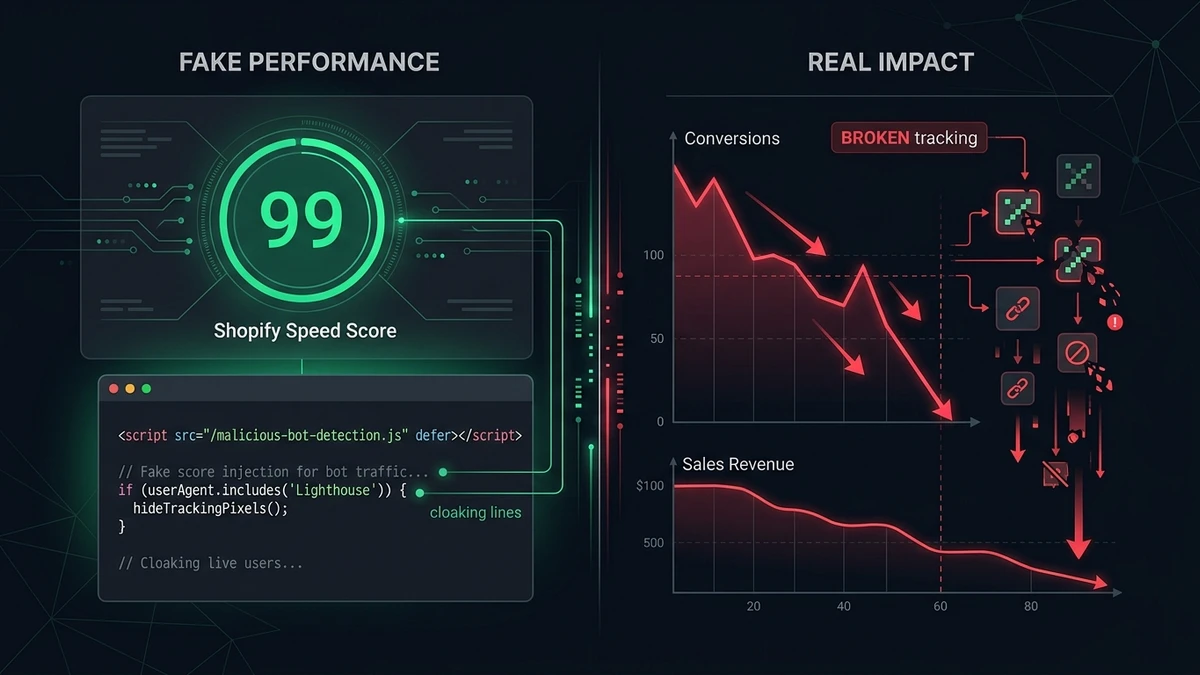
Fraudulent contractors and scam apps exploit this architecture by injecting conditional 'cloaking' scripts directly into your `layout/theme.liquid` template or hidden snippet files. The exploit operates across three technical phases:
- 01Phase 1: Bot-Sniffing & Environment Interception: The script listens at the very top of `<head>` and inspects `navigator.userAgent` for keywords like `Chrome-Lighthouse`, `Googlebot`, `HeadlessChrome`, `GTmetrix`, or `Pingdom`. It also checks `navigator.platform` for `Linux x86_64` (the server OS used by Google's test runners), screen touch-point counts (`navigator.maxTouchPoints === 0`), and headless browser flags (`navigator.webdriver`).
- 02Phase 2: The 'Blank Shell' Asset Interception: The millisecond a testing bot is detected, the script hijacks the browser's DOM parser. It neutralizes Shopify's script loader by overriding `window.asyncLoad = function() {}`, intercepts `document.write()`, and uses MutationObservers to abort third-party app scripts (Klaviyo, Loox, Gorgias, Recharge, Hotjar) and stylesheets before they can download a single byte.
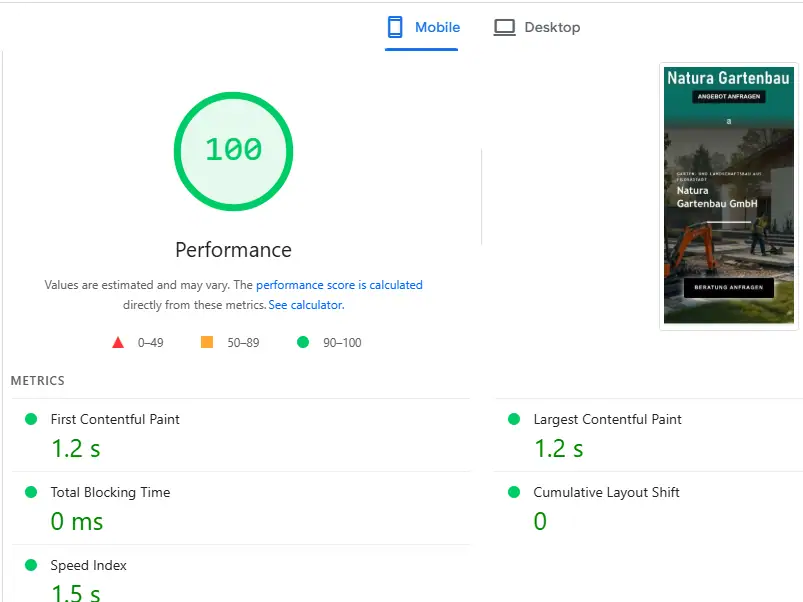
- 03Phase 3: The Fake 99/100 Lighthouse Audit: Because the testing bot receives a hollow, unstyled HTML skeleton with zero JavaScript execution and no app payloads, Google Lighthouse records an instantaneous First Contentful Paint (FCP ≤ 0.4s), zero Total Blocking Time (TBT = 0ms), and awards a fake 99 score. But when an actual customer visits on an iPhone or Android device, the script bypasses the block — and the real customer experiences the exact same bloated, 5-second crawl.
Deconstructing the Malicious Code Inside theme.liquid
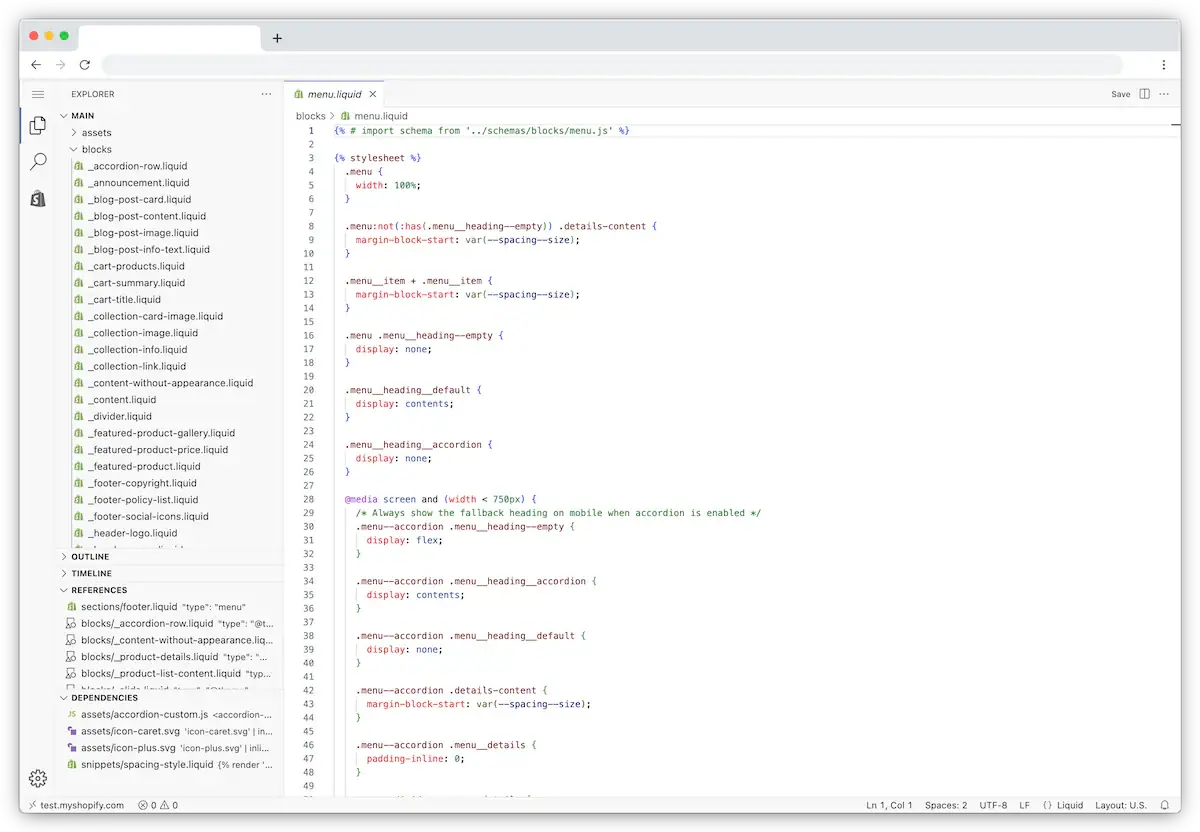
When conducting forensic code audits on compromised stores, our developers regularly discover variants of the following malicious patterns hidden within `layout/theme.liquid` or disguised snippet files like `speed-booster.liquid` or `page-speed-optimizer.liquid`:
| Exploit Mechanism | Code Signature in theme.liquid | How It Deceives Audit Tools |
|---|---|---|
| User-Agent Cloaking | `if (/Chrome-Lighthouse|Googlebot|Headless/i.test(navigator.userAgent))` | Conditionally aborts script execution exclusively when Google Lighthouse or automated audit robots visit. |
| Platform / Linux Sniffing | `if (navigator.platform.indexOf('Linux') !== -1 || !('ontouchstart' in window))` | Targets headless Linux cloud servers used by PageSpeed Insights and GTmetrix test runners. |
| asyncLoad Hijacking | `window.asyncLoad = function() { return false; };` | Completely disables Shopify's native script tag loader so no third-party apps download during tests. |
| Obfuscated Hex Strings | `var _0x4f = ['\x43\x68\x72\x6f\x6d\x65\x2d\x4c\x69...'];` | Hex-encodes the string 'Chrome-Lighthouse' so merchant searches in the Shopify code editor return zero results. |
| Base64 eval Injection | `eval(atob('dmFyIGlzQm90ID0gL0xpZ2h0aG91c2UvaS50ZXN0...'))` | Hides bot-sniffing routines behind encoded execution strings to prevent detection by Shopify theme checkers. |
| Aggressive Interaction Gating | `window.addEventListener('scroll', loadAllScripts, {once: true});` | Delays all store JavaScript until the user physically touches the screen, destroying initial pixel attribution. |
| DOM Replacement Trick | `document.open(); document.write('<!DOCTYPE html>...'); document.close();` | Swaps out the entire store DOM for a lightweight dummy template exclusively for audit crawlers. |
How to Detect Fake Shopify Speed Optimization (Shopify's Diagnosis Guide)
In their official engineering report, Shopify provided two definitive tests that any merchant can run in under two minutes to verify whether their store's speed score is legitimate or spoofed:
Test 1: The Broken Screenshot Test in PageSpeed Insights
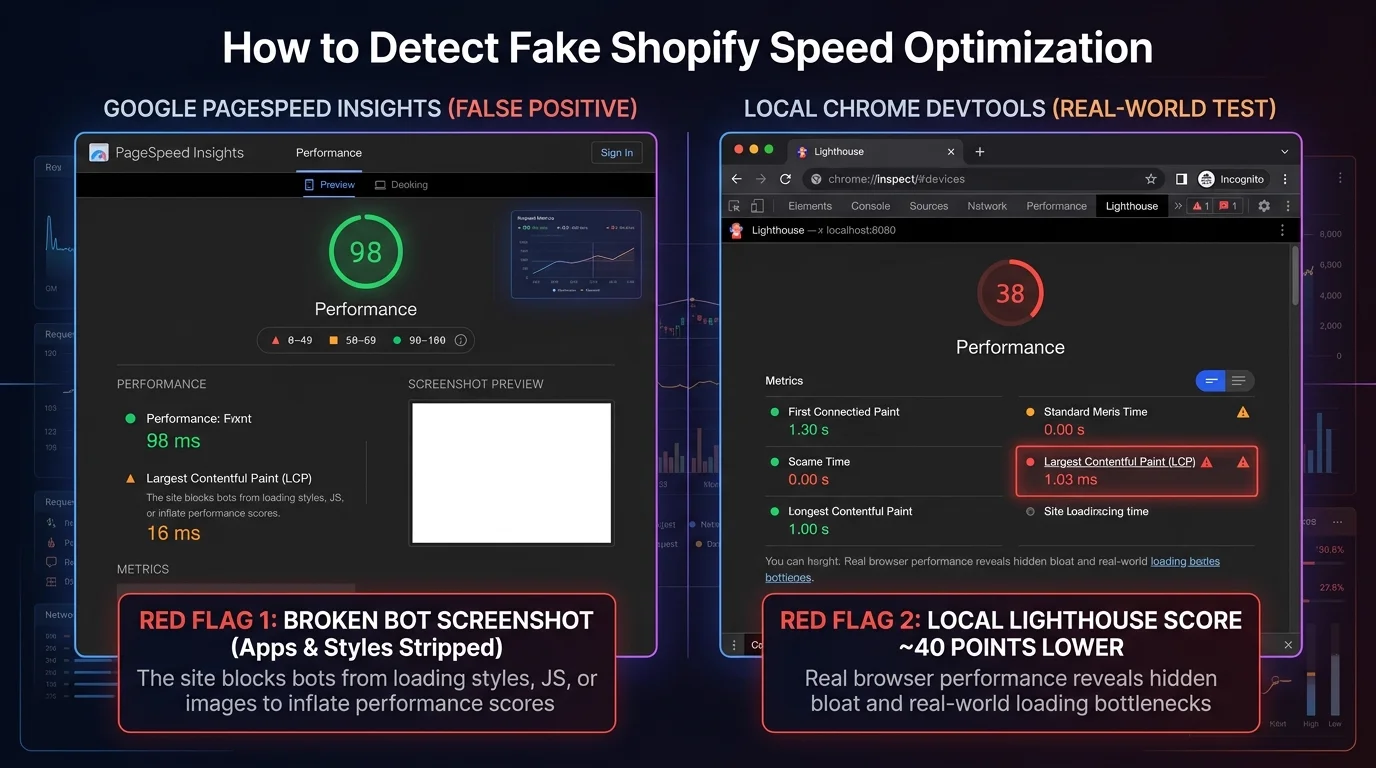
Open Google PageSpeed Insights and test your live store. Scroll down past the big circular score to the 'Screenshot Preview' or filmstrip view showing what Google's bot saw when rendering your page.
If your store is using a fake speed script, the screenshot will look completely broken, unstyled, or blank white. Images will be missing, banners will be vanished, and review widgets will not appear. Why? Because the cloaking script stripped away all your CSS, images, and JavaScript to trick the bot into recording a near-zero load time.
Test 2: The Local Chrome DevTools Incognito Test
Because fake speed scripts specifically target Google's public cloud IP addresses and Linux user-agent signatures, they often fail to detect a local audit run directly on your own computer. Here is how to catch them:
- 01Open Google Chrome on your computer and press `Ctrl + Shift + N` (or `Cmd + Shift + N` on Mac) to open a fresh Incognito Window (this ensures no browser extensions interfere).
- 02Navigate to your Shopify store URL.
- 03Press `F12` (or right-click and select Inspect) to open Chrome DevTools.
- 04Click the Lighthouse tab in the top menu (if hidden, click the `>>` icon).
- 05Select Mobile device and check Performance, then click Analyze page load.
- 06Compare your local Lighthouse score against your public PageSpeed Insights score. If your local score is 20 to 50 points lower than your public PageSpeed score (e.g., 38 vs 98), your store is running a fake speed cloaking script.
Test 3: Cross-Reference the Shopify Web Performance Dashboard
Log into your Shopify Admin and navigate to Online Store > Themes > Web Performance. Unlike synthetic tools, Shopify's built-in speed dashboard measures real user sessions on your storefront. If your contractor handed you a screenshot of a 96 score, but your Shopify admin reports a score of 30 to 45 with failing Core Web Vitals, your customers are experiencing a slow, bloated store.
The 3-Phase Catastrophic Collapse of Store Revenue
Many merchants mistakenly believe that even if the score is artificially inflated, having a 'green score' cannot hurt their business. In reality, fake speed scripts trigger a severe, cascading failure across marketing, conversion rates, and SEO:
| Phase | What the Merchant Sees | What Is Actually Happening Under the Hood |
|---|---|---|
| Phase 1: The Honeymoon | Freelancer delivers a 98/100 PageSpeed screenshot; client leaves a 5-star review. | Bot-cloaking script is active in theme.liquid; real visitors still receive full, unoptimized payload. |
| Phase 2: Tracking Severed | Meta Ads and GA4 show plunging conversion rates; ROAS drops from 3.2x to 1.4x. | Interaction-gated scripts prevent Meta Pixel and GA4 from firing on bounces; Shop Pay checkouts lose attribution. |
| Phase 3: The Algorithmic Crash | Ad costs spike; smart bidding algorithms optimize on missing data; revenue drops. | Ad platforms starve for conversion signals; mobile shoppers experience rage-clicks and abandon cart drawers. |
1. Broken Ad Tracking & Pixel Fires (Meta, TikTok, Google Ads)
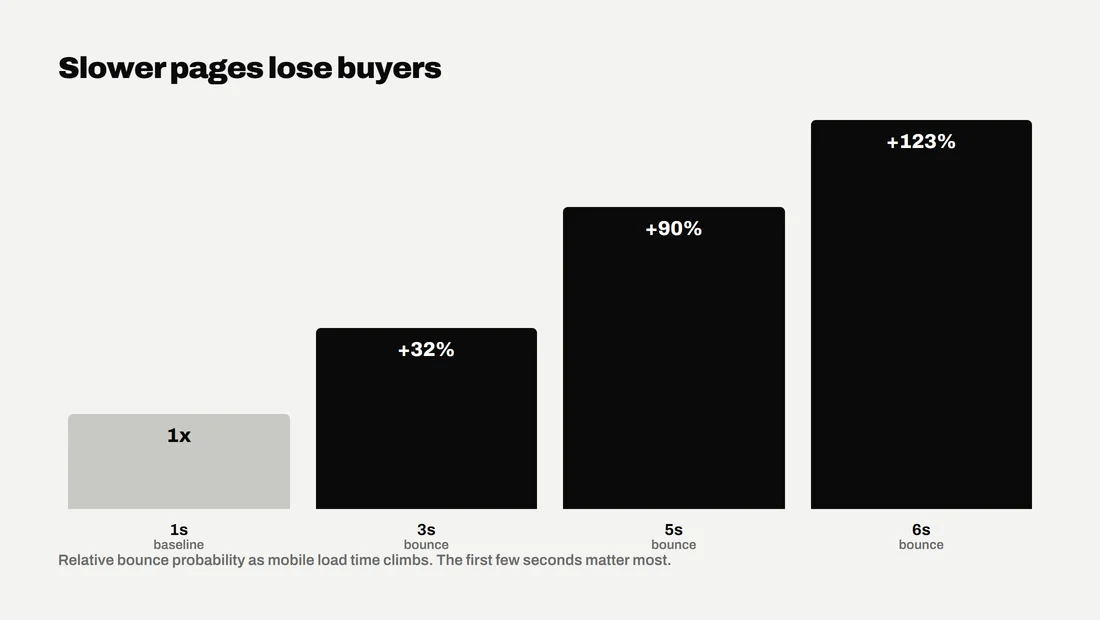
Performance marketing depends entirely on immediate, reliable data signals. When a shopper clicks a Meta or TikTok ad and lands on your store, the `PageView` and `ViewContent` pixel events must fire within milliseconds. If the shopper bounces after 3 seconds, that bounce signal is vital for the ad algorithm to recalibrate targeting.
Fake speed scripts delay all third-party JavaScript until after the shopper scrolls or clicks. If a visitor lands and leaves without scrolling, the pixel never fires. Furthermore, accelerated checkout flows (like Shop Pay and PayPal Express) often bypass the traditional deferred order confirmation page. As documented by conversion tracking experts, this severs ad attribution, causes Meta's Smart Bidding algorithm to bid blindly, and drastically inflates your Customer Acquisition Cost.
2. Severe Interaction to Next Paint (INP) Latency & Rage Clicks
In March 2024, Google officially replaced First Input Delay (FID) with Interaction to Next Paint (INP) as an official Core Web Vital. While FID only measured the initial delay before event processing began, INP measures the entire duration until the visual interface updates on screen throughout the shopper's entire session.
When fake speed scripts bottleneck all store JavaScript behind the first scroll or touch event, that initial interaction unloads dozens of queued scripts simultaneously. The mobile CPU's main thread completely chokes for 800ms to 1,800ms. Mobile shoppers tap size selectors, color swatches, or 'Add to Cart' buttons and nothing happens. Frustrated visitors rage-click, assume the store is broken, and abandon the session.
3. Zero Google Search Advantage: Google Ranks by Real CrUX Field Data
This is the single biggest misconception among Shopify merchants: Google Search does NOT rank your store based on the single synthetic test you run in PageSpeed Insights!
According to official Google Search Central Page Experience Documentation, Google's search ranking algorithm utilizes the Chrome User Experience Report (CrUX). CrUX aggregates 28 days of anonymized, 75th-percentile real-world performance metrics captured from actual human visitors using Google Chrome on cellular and Wi-Fi networks.
Steps Shopify Took to Protect the Performance Ecosystem
Following their forensic investigation into fake performance apps, Shopify took aggressive platform-level countermeasures to protect merchants:
- Purging Deceptive Apps: Shopify removed dozens of fraudulent speed optimization apps from the Shopify App Store that were caught intercepting bot traffic and faking performance scores.
- Automated Theme Review Scanners: Shopify's Theme Store review pipeline now scans for user-agent regexes, headless browser detection checks, and `asyncLoad` hijacking, automatically rejecting themes and apps that use these tricks.
- Real-User Admin Metrics: Shopify overhauled its internal Online Store speed dashboard, migrating away from single synthetic tests toward real user sessions (Real User Monitoring / RUM) captured directly from customer checkouts.
Head-to-Head: Fake Speed Exploits vs. Real Shopify Engineering
To provide absolute clarity for DTC founders and ecommerce managers, here is the direct comparison between fake speed score exploits and legitimate, senior Shopify speed engineering:
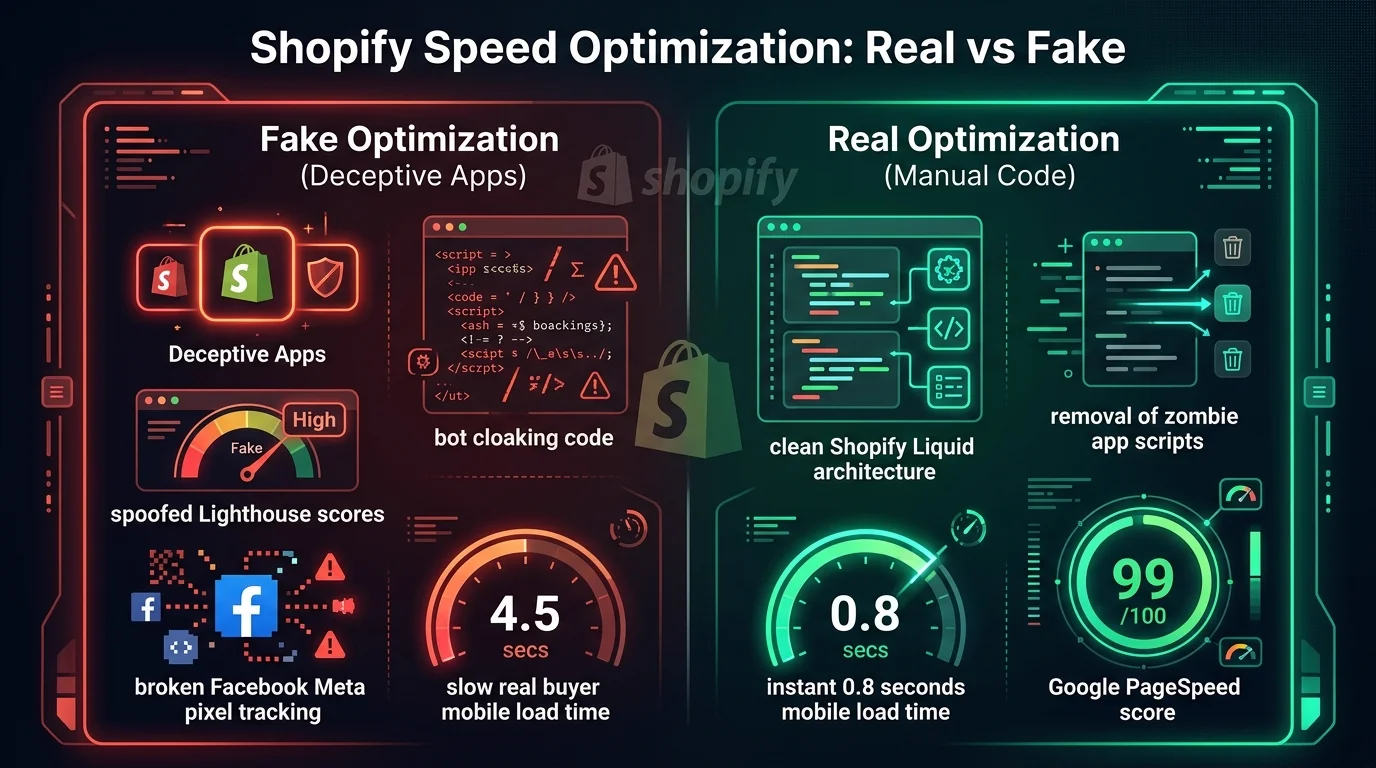
| Performance Dimension | Fake Speed Exploits (Scams) | Genuine Shopify Speed Engineering |
|---|---|---|
| Primary Mechanism | Sniffs user-agent string to abort scripts exclusively during bot audits | Refactors Liquid loops, optimizes critical rendering path, and streamlines assets |
| Real User Experience | Zero speed improvement; introduces layout shifts and unresponsive clicks | Sub-2.0s visual load on mobile 4G; instant cart drawers and smooth 60fps scrolling |
| Ad Tracking & Pixels | Frequently breaks Meta Pixel, TikTok CAPI, GA4, and Klaviyo attribution | 100% pixel safety; leverages Shopify Web Pixels API and non-blocking event hooks |
| Core Web Vitals Impact | Fails real-world CrUX field data; zero organic search ranking improvement | Passes Google Web.dev Core Web Vitals in Search Console (LCP ≤2.5s, INP ≤200ms, CLS ≤0.1) |
| Third-Party Apps | Hides apps from automated bots while leaving heavy bloat for real shoppers | Audits apps, purges residual ghost code, and builds native Liquid replacements |
| Hero Media & Visuals | Blocks hero banners during audits or serves unstyled blank skeletons | Configures responsive srcset, WebP formats, and fetchpriority='high' on LCP element |
| Turnaround & Pricing | $30–$100 on freelance marketplaces; delivered in 24 hours via copy-paste hack | Professional engineering scope ($800–$3,000+); thorough audit, code QA, and multi-device testing |
How Genuine Shopify Speed Optimization Actually Works
Legitimate Shopify performance optimization does not rely on cloaking, evasion, or brittle hacks. In accordance with official Shopify Theme Performance Best Practices, our senior engineering team optimizes every layer of the storefront architecture:
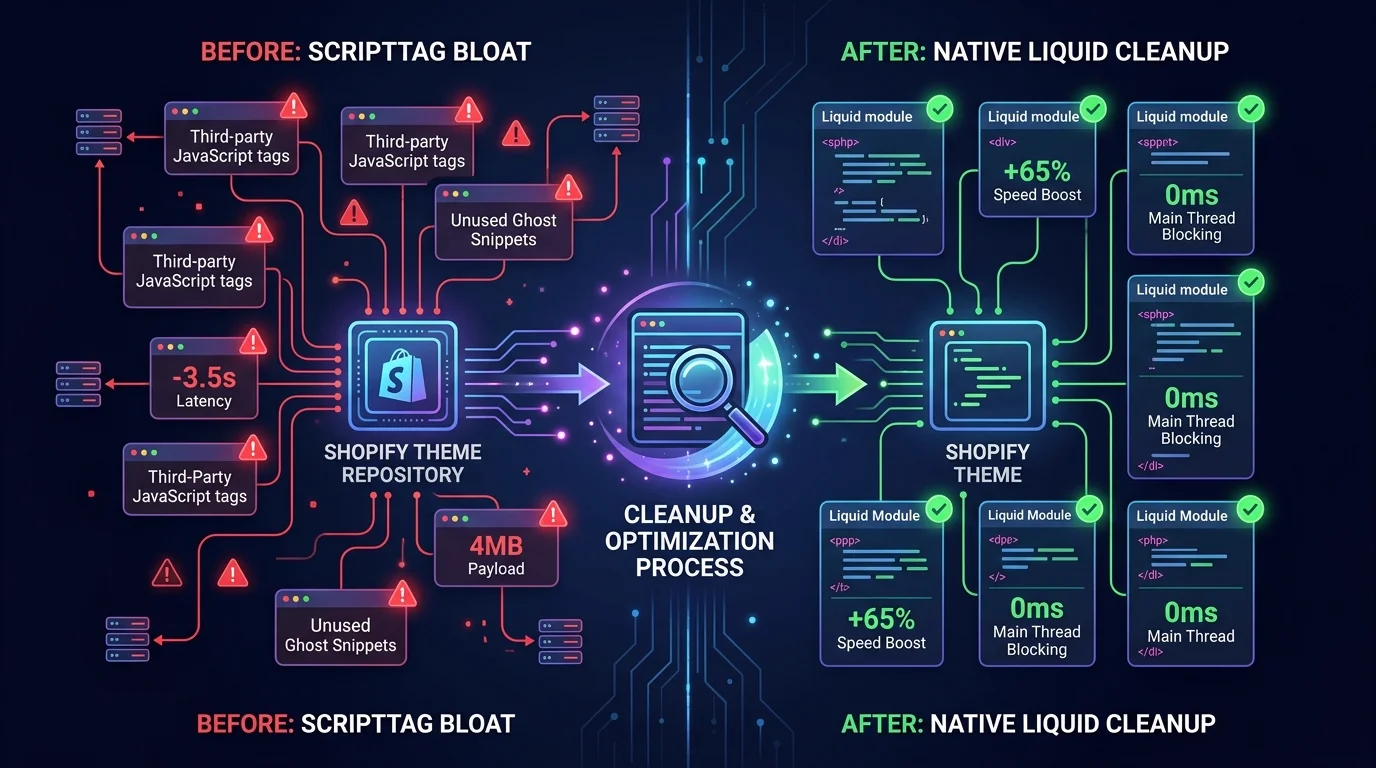
- 011. Liquid Render Tree & Loop Refactoring: Liquid code executes entirely on Shopify's servers before HTML is transmitted to the browser. Inefficient loops — such as iterating through all products in a collection to render 4 related items — introduce massive server response latency (Time to First Byte, TTFB). We refactor Liquid templates, eliminate nested loops, and use targeted metafield queries to cut TTFB to under 200ms.
- 022. Ghost Code & Orphan Snippet Exorcism: When apps are uninstalled from Shopify, their Liquid snippets and tracking tags almost always remain abandoned in your theme repository. We systematically audit your asset files, purge dead code, and ensure active apps only load on the specific URL templates where they are required.
- 033. Native Responsive Image Architecture: We configure Shopify's `image_url` filter with exact responsive widths (`widths: '375, 550, 750, 1100, 1500'`), convert media to next-gen WebP formats, declare explicit aspect ratios to eliminate Cumulative Layout Shift (CLS), and place `fetchpriority="high"` exclusively on the above-the-fold hero banner.
- 044. Lightweight Facade Loading Patterns: Instead of executing 3MB of heavy review carousels, customer support live chat widgets, and Instagram UGC feeds on initial page load, we construct lightweight facade placeholders. The visual UI renders instantly with zero JavaScript overhead, while the heavy third-party vendor script initializes only when the shopper scrolls into view.
- 055. Main Thread Scheduling for Flawless INP: We break long JavaScript tasks exceeding 50ms into sub-16ms frames using modern browser scheduling primitives (`requestIdleCallback`, `scheduler.yield()`), ensuring variant clicks, drawer transitions, and Add-to-Cart actions respond in under 150ms.
Step-by-Step: How to Clean Your Theme After a Fake Speed Scam
If your store has been compromised with a fake speed script, follow this emergency recovery procedure to restore site health and pixel integrity:
- 01Step 1: Duplicate Your Active Theme: Navigate to Online Store > Themes, click the three dots next to your live theme, and select Duplicate. Never perform code surgery on a live theme without an untouched backup.
- 02Step 2: Roll Back layout/theme.liquid: Open `layout/theme.liquid` in the Shopify code editor. Click 'Older versions' at the top of the editor. Locate the revision timestamp from immediately before the contractor worked on your store. Compare the diff to isolate the injected bot-checking functions, and roll back to the clean version.
- 03Step 3: Remove Rogue Snippet Files: Check the `snippets/` directory for recently created files with suspicious names (e.g., `speed-booster.liquid`, `page-speed.liquid`, `optimization-head.liquid`, `rocket-loader.liquid`). Delete them and remove any matching `{% render %}` tags from `theme.liquid`.
- 04Step 4: Audit Tracking Pixels with Helper Extensions: Install the official Meta Pixel Helper, TikTok Pixel Helper, and Google Tag Assistant Chrome extensions. Browse your store in an Incognito window. Verify that `PageView` fires instantly upon page arrival without requiring a user scroll, and test `AddToCart` to ensure purchase attribution is fully restored.
- 05Step 5: Get a Certified Performance Audit: Work with certified Shopify Partner engineers to perform genuine code-level optimization. Real speed takes work, but it delivers authentic, permanent revenue gains.
Tired of vanity scores, broken tracking, and slow mobile checkouts? Xpertify provides authentic, senior Shopify speed engineering with zero bot tricks, guaranteed Core Web Vitals improvements, and complete pixel safety.
Book a Real Shopify Speed AuditSources & further reading
- 1.Web Vitalsweb.dev (Google)
- 2.PageSpeed InsightsGoogle
- 3.Performance best practices for Shopify themesShopify.dev
- 4.Understanding page experience in Google SearchGoogle Search Central
- 5.Meta Pixel documentationMeta for Developers
- 6.Conversions APIMeta for Developers
- 7.Cart abandonment rate statisticsBaymard Institute