Size Guides on Shopify: How to Cut Returns Without Losing Sales
Returns for the wrong size are one of the most expensive problems in apparel and footwear. A clear size guide and a few product-page changes can cut them down.
- Written by
 Fahad, CEO & Head of Development
- Published
- Reading time
- 2 minutes

A return for the wrong size costs twice: the shipping both ways and the stock that cannot be sold again quickly. For many apparel and footwear stores, sizing is the largest single source of returns. The fix is rarely a bigger size chart on its own. It is a product page that makes the right size easy to choose.
Show the size guide where the decision happens
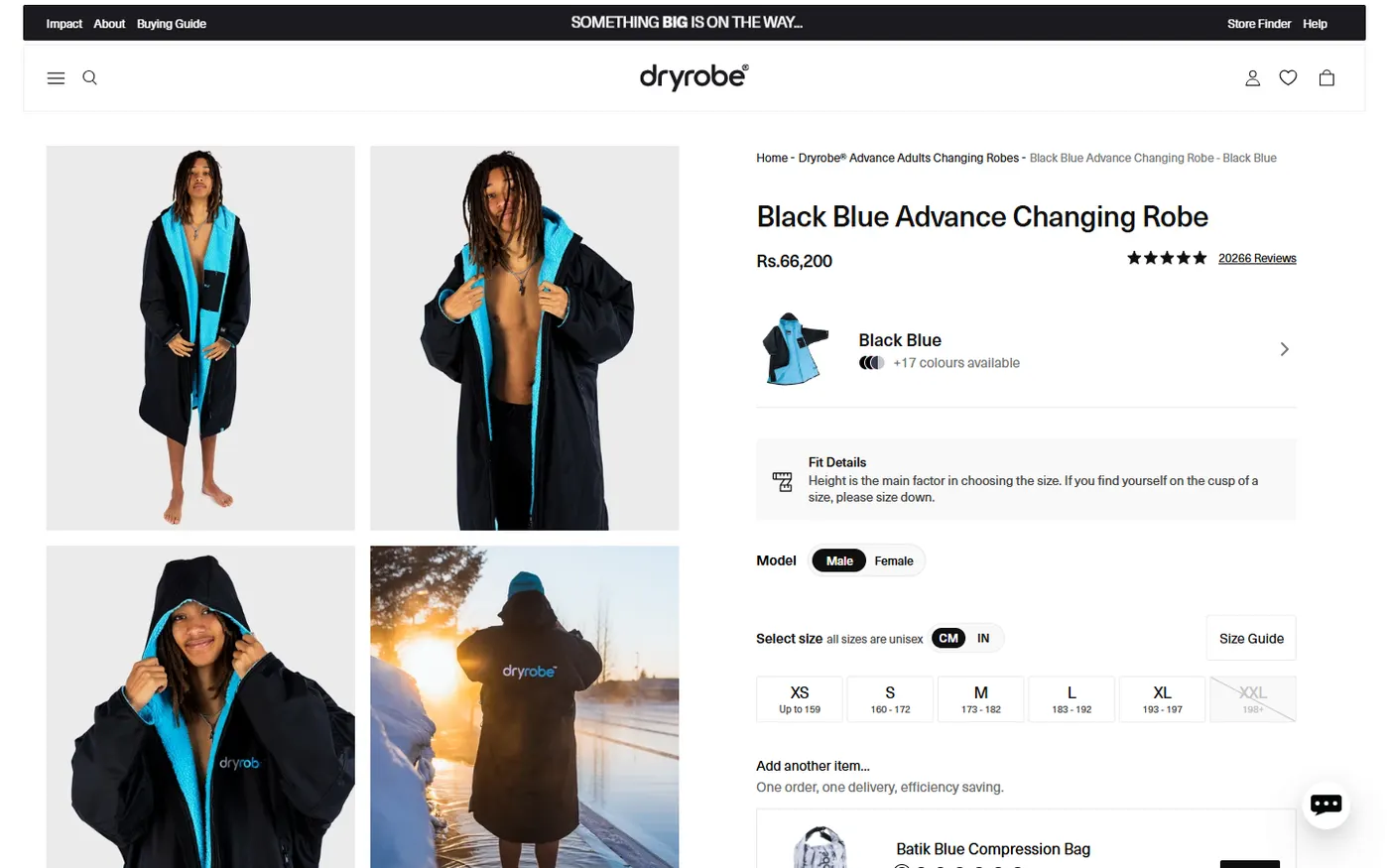
A size guide hidden in the footer is almost never opened. Put a short link beside the size selector, and make the size selector itself informative. Show the range each size covers, as this product page does, so a shopper can match their measurements without leaving the page.
Ask the question a fitting room would ask
A good size guide works like a fitting room assistant. It asks the questions a shopper would ask in person: how tall are you, what do you usually wear, how do you want it to fit. Keep the measurements plain, use the same units as the shopper's region, and say whether the fit runs true to size, slim or relaxed.
| Question on the page | What it prevents |
|---|---|
| Fit notes: true to size, slim or relaxed | Ordering the wrong size for a preferred fit |
| Height or chest measurement ranges per size | Guessing between two sizes |
| Model height and the size they are wearing | Assuming a model's size is the shopper's size |
| Units shown for the region | Converting units in your head and getting it wrong |
Reviews are a sizing tool
Reviews that mention fit are among the most useful content on a product page. Ask customers a specific sizing question after delivery, such as whether the size was true to fit and what height they are, and show those answers near the size selector. Be careful to publish only genuine reviews, as covered in our guide to trust signals on Shopify.
Be honest about the returns policy
A clear returns policy reassures shoppers and makes them more willing to order the size they are unsure about. Hiding the policy does the opposite. State the return window, who pays return shipping and what condition an item must be in, and keep those terms consistent across the store. The Federal Trade Commission's business guidance is a useful reference for how clearly terms should be presented.
A rollout that proves it works
- 01Pick the three products with the highest size-related returns.
- 02Add ranges, fit notes and a visible size guide link to those three pages only.
- 03Track the return rate and add-to-cart rate for those products for one full season.
- 04Roll the same structure out to the rest of the catalogue once the numbers hold.
We look at your returns data and product pages together, then rebuild the sizing section so shoppers pick the right size first time.
See conversion optimization