Product Photography on Shopify: The Standard That Actually Sells
Product photos decide whether a shopper trusts what they are buying. Here is a practical standard for shots, sizes and speed that lifts conversion without a big budget.
- Written by
 Fahad, CEO & Head of Development
- Published
- Reading time
- 2 minutes

On a product page, the photo does the selling. A shopper cannot touch the fabric, check the weight or hold the watch to the light, so the images have to answer those questions before the words are read. Weak photos make a good product look cheap. Strong photos let a fair price feel obvious.
This guide sets out the standard we recommend for a Shopify product page, from the shots themselves to how they load. It is written for merchants who want to improve their pages without commissioning a full studio shoot first.
The shots every product needs
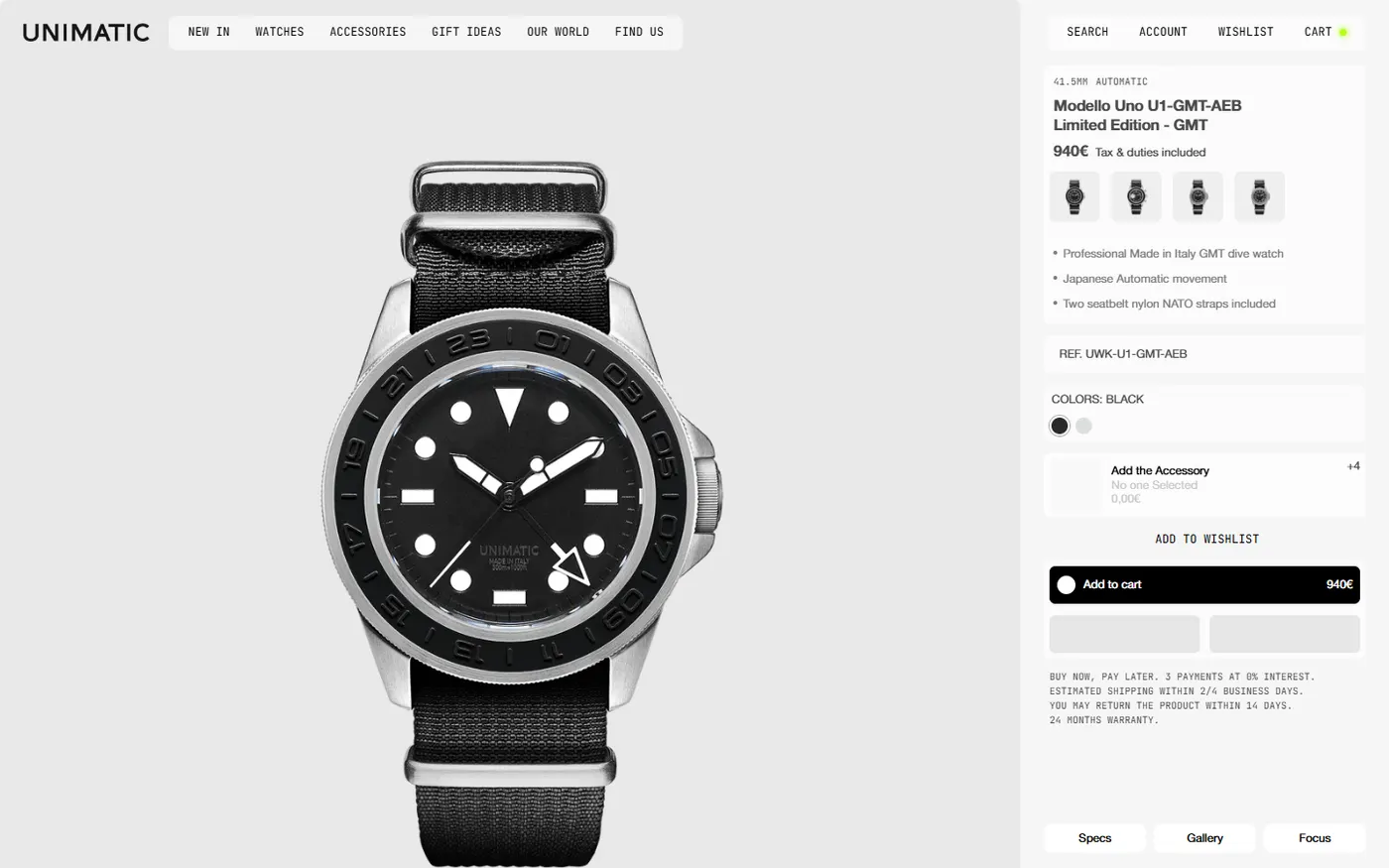
- A clean hero shot on a plain background, so the product is the only thing the eye lands on.
- A second angle that shows the back, the side or the profile, because shoppers check every side.
- A detail shot of the material, finish, stitching or texture, taken close enough to read.
- A scale shot with a person, a hand or a familiar object, so the size is obvious without a size chart.
- A lifestyle shot that shows the product in use. This is the one that sells the outcome, not the object.
Consistency matters more than perfection
Shoppers compare products within a collection, so the photos need to match. Use the same background, the same light direction and the same crop across the range. A collection of mismatched photos makes the whole store look unfinished, even when each individual picture is good.
Make the photos load fast
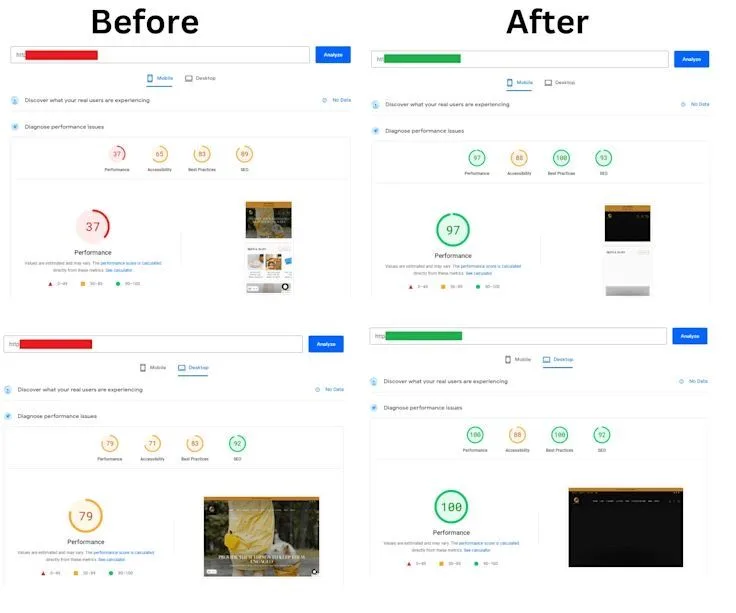
Large photos are the most common reason product pages are slow. The hero image is usually the Largest Contentful Paint element, which Google measures on every page. Serve modern formats, size each image to the slot it fills, and mark only the first image as high priority. Google's guidance on Largest Contentful Paint explains the mechanics, and our image optimization guide walks through the Shopify settings.
A simple photo checklist before you publish
- 01Is the product sharp at full size on a laptop screen?
- 02Does every photo use the same background and crop as its neighbours?
- 03Can a shopper see the size, the material and the colour without reading the description?
- 04Does the first image load in under a second on a mid-range phone?
- 05Is there alt text that names the product and what it shows?
Want a product page that sells the item before the shopper reads a word? We audit photos, layout and speed together, then fix the pages that matter most.
See conversion optimization